
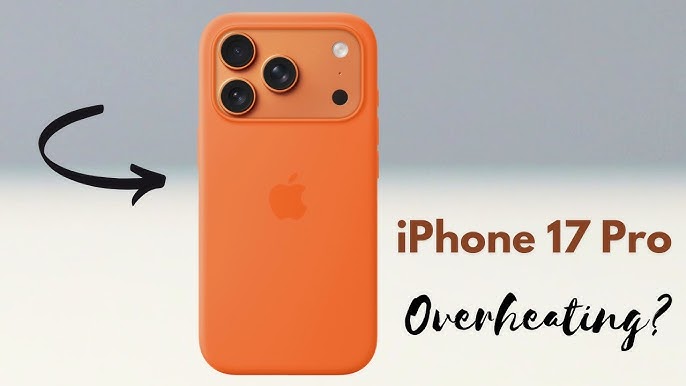
The iPhone 17 is one of Apple’s most advanced smartphones, delivering exceptional performance, powerful AI features, and enhanced battery efficiency. However, despite these improvements, many users have started reporting iPhone 17 overheating issues, particularly in regions with extreme temperatures such as Dubai.
If your iPhone 17 feels unusually hot during charging, gaming, video calls, or outdoor use, you are not alone. While some heat generation is normal, excessive overheating can affect performance, battery life, and long-term device health.
In this guide, we will explore the common causes of iPhone 17 overheating issues, how Dubai’s climate contributes to the problem, practical prevention methods, and when professional repair may be necessary.
Why Is the iPhone 17 Getting Hot?
Smartphones generate heat whenever the processor, battery, display, and wireless components work together. The iPhone 17 features a highly powerful chipset capable of handling intensive tasks. Consequently, heat generation is inevitable during demanding activities.
However, excessive heat can indicate an underlying issue that needs attention.
Common causes include:
- Intensive gaming sessions
- 4K video recording
- Extended FaceTime calls
- Wireless charging
- Background app activity
- Software bugs
- Battery degradation
- Exposure to direct sunlight
Moreover, environmental conditions play a significant role in how quickly heat builds up inside the device.
How Dubai’s Climate Affects iPhone 17 Performance
Dubai experiences some of the highest summer temperatures in the world. During peak summer months, outdoor temperatures frequently exceed 40°C.
As a result, electronic devices face additional thermal stress.
Direct Sunlight Exposure
Many users leave their phones on car dashboards, outdoor café tables, or exposed to sunlight while navigating. Consequently, the device temperature rises rapidly.
Apple devices are designed to operate within recommended temperature ranges. Once those limits are exceeded, the iPhone activates thermal protection mechanisms.
Hot Vehicles
Cars parked under Dubai’s sun can reach temperatures exceeding 60°C internally.
Even a few minutes inside a hot vehicle may trigger severe iPhone 17 overheating issues.
Beach and Desert Activities
Dubai residents often take their phones to beaches, pools, and desert adventures. Unfortunately, high ambient temperatures combined with intensive camera use can quickly overwhelm the phone’s cooling capabilities.
Signs Your iPhone 17 Is Overheating
Recognizing overheating symptoms early can prevent serious damage.
Look for these warning signs:
Device Feels Excessively Hot
The most obvious sign is an unusually warm or hot device, especially around the camera module and processor area.
Reduced Performance
To protect internal components, iOS automatically reduces processing speed during overheating events.
You may notice:
- Slower app launches
- Lagging animations
- Delayed touch response
Charging Stops Automatically
Apple includes thermal protection systems that pause charging when temperatures become unsafe.
Therefore, your device may stop charging until it cools down.
Screen Brightness Dims
The display may automatically reduce brightness levels to decrease heat generation.
Temperature Warning Message
In severe cases, users may see a warning stating that the iPhone needs to cool down before it can be used.
Common Activities That Trigger iPhone 17 Overheating Issues
Understanding which activities generate the most heat can help reduce stress on your device.
Mobile Gaming
Modern games push both CPU and GPU performance to their limits.
Consequently, long gaming sessions can significantly increase internal temperatures.
Video Recording
Recording 4K and high-frame-rate videos requires substantial processing power.
This is especially true when filming outdoors in Dubai’s summer heat.
Wireless Charging
Although convenient, wireless charging generates more heat than traditional wired charging.
Therefore, prolonged wireless charging sessions may contribute to iPhone 17 overheating issues.
Multiple Apps Running Simultaneously
Background applications continue consuming system resources.
As a result, unnecessary apps can increase processor workload and heat generation.
Navigation Apps
GPS navigation continuously uses location services, cellular data, and screen brightness.
Combined with direct sunlight, overheating becomes much more likely.
How Overheating Affects Your iPhone 17
Ignoring overheating problems can have serious consequences.
Battery Health Degradation
High temperatures accelerate lithium-ion battery wear.
Consequently, battery capacity may decline faster than expected.
Reduced Device Lifespan
Persistent heat places stress on internal components, including:
- Logic board
- Processor
- Charging circuitry
- Camera sensors
Unexpected Shutdowns
Severe overheating can trigger emergency shutdowns to prevent hardware damage.
Charging Problems
Repeated thermal stress may eventually affect charging performance and battery efficiency.
Practical Ways to Prevent iPhone 17 Overheating Issues
Fortunately, several preventative measures can help keep temperatures under control.
Avoid Direct Sunlight
Whenever possible, keep your device in shaded areas.
Additionally, avoid placing it on car dashboards.
Remove Thick Cases During Heavy Usage
Protective cases can trap heat.
Therefore, removing the case during gaming or charging may improve heat dissipation.
Close Unused Applications
Regularly clearing background apps helps reduce processor workload.
As a result, your device operates more efficiently.
Update iOS
Software updates frequently include thermal management improvements and bug fixes.
Therefore, keeping your device updated is essential.
Use Certified Chargers
Low-quality charging accessories can generate excess heat.
Always use Apple-certified chargers and cables.
Reduce Screen Brightness
Lower brightness settings decrease power consumption and heat production.
Furthermore, enabling Auto-Brightness can help manage temperatures automatically.
Limit Intensive Tasks Outdoors
If possible, postpone gaming, video editing, or extended camera usage until you are indoors.
When Overheating Indicates a Hardware Problem
Occasional heat generation is normal. However, persistent overheating may signal a hardware fault.
Potential causes include:
Battery Issues
A damaged or aging battery may struggle to regulate power efficiently.
Consequently, abnormal heat production occurs.
Charging Port Damage
Debris, corrosion, or damaged charging circuits can lead to excessive heat during charging.
Logic Board Faults
Power management failures on the motherboard can cause continuous overheating.
Water Damage
Even minor moisture exposure can create electrical resistance and abnormal heat generation.
Professional Diagnosis Matters
Many users assume overheating is always software-related. However, professional diagnostics can quickly identify underlying hardware problems.
Advanced diagnostic tools help technicians evaluate:
- Battery health
- Charging efficiency
- Thermal performance
- Logic board integrity
- Internal component functionality
As a result, repairs become faster and more accurate.
Expert iPhone Repair Services in Dubai
When preventative measures no longer solve the problem, professional assistance becomes necessary.
At Milaaj mobile and laptop repair Dubai, technicians handle a wide range of iPhone-related issues, including overheating, battery replacement, charging failures, motherboard repairs, and thermal diagnostics.
Customers choose professional repair services because they offer:
Fast Turnaround
Most diagnostic procedures can be completed quickly, minimizing downtime.
Affordable Pricing
Repair solutions are often far more cost-effective than replacing the entire device.
Quality Replacement Parts
Reliable repair centers use premium-quality replacement components designed for long-term performance.
Convenient Service Options
Many Dubai users prefer repair services that offer flexible appointment scheduling and quick support.
Experienced Technicians
Trained specialists understand Apple’s latest hardware architecture and thermal management systems.
Final Thoughts
The iPhone 17 is engineered to deliver exceptional performance, but Dubai’s extreme climate creates unique challenges. While occasional warmth is completely normal, persistent iPhone 17 overheating issues should never be ignored.
Fortunately, most overheating situations can be prevented through smart usage habits, proper charging practices, regular software updates, and avoiding prolonged exposure to extreme heat.
If overheating continues despite these precautions, professional diagnostics can identify hidden battery, charging, or motherboard problems before they become more expensive repairs.
By understanding the causes and solutions, Dubai users can protect their investment, improve battery longevity, and ensure their iPhone 17 continues performing at its best for years to come.
Frequently Asked Questions
Why is my iPhone 17 overheating so quickly?
Common reasons include gaming, video recording, wireless charging, software bugs, direct sunlight exposure, and battery-related issues.
Can Dubai’s weather cause iPhone 17 overheating issues?
Yes. High outdoor temperatures and direct sunlight can significantly increase device temperatures and trigger thermal protection systems.
Is it safe to use my iPhone 17 while it is hot?
Mild warmth is normal. However, if the device becomes excessively hot or displays a temperature warning, stop using it until it cools down.
Does overheating damage the battery?
Yes. Repeated exposure to high temperatures can accelerate battery degradation and reduce long-term battery health.
Why does my iPhone stop charging when it gets hot?
Apple’s thermal protection system automatically pauses charging when temperatures exceed safe operating limits.
Can a faulty battery cause overheating?
Absolutely. Damaged or aging batteries often generate excessive heat during charging and normal use.
Should I remove my phone case if the iPhone gets hot?
Yes. Removing thick protective cases may improve airflow and help dissipate heat more effectively.
When should I seek professional repair for overheating issues?
If overheating occurs frequently, affects performance, causes shutdowns, or persists after software updates and cooling measures, professional diagnosis is recommended.
Can wireless charging make my iPhone 17 hotter?
Yes. Wireless charging naturally generates more heat compared to wired charging methods.
How can I prevent iPhone 17 overheating issues in Dubai?
Avoid direct sunlight, use certified chargers, keep iOS updated, close unused apps, reduce screen brightness, and avoid intensive tasks during peak outdoor temperatures.
Get professional iPhone repair services with expert technicians ensuring top-quality results.
Back in your hands faster: Enjoy rapid, reliable doorstep delivery for every device we service or sell.
Sell your old iPhone with confidence and get the best value instantly.
📍 Visit Any Milaaj Branch in Dubai
🔹 Bur Dubai
Milaaj Mobile and Laptop Repair Dubai
📞 055 258 8477
🔗 Google Maps
🔹 Al Barsha
Milaaj Mobiles and Laptop Repair Al Barsha
📞 052 596 2846
🔗 Google Maps
🔹 Al Barsha 3
Milaaj Service Center Reef Mall
📞 052 3405 814
🔗 Google Maps
🔹 Al Nuaimiya
Milaaj Mobiles and Laptops Ajman
📞 055 788 9654
🔗 Google Maps
📧 Email: support@milaaj.com
🕒 Operating Hours: Monday – Sunday



Leave a Reply