
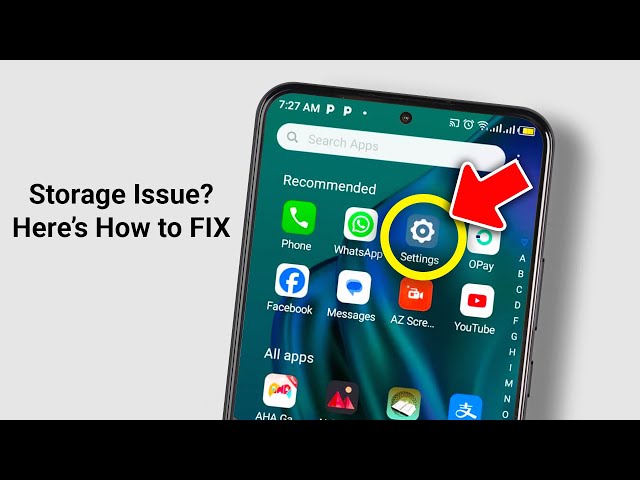
Android updates are meant to improve performance, security, and overall user experience. However, many users encounter a frustrating issue immediately afterward Android storage full after update warnings appear without warning. Even if your phone had enough space before updating, storage can suddenly fill up, slowing down performance and blocking essential apps and updates.
Fortunately, Android storage full after update? Effective fixes are available. Therefore, understanding the real reasons behind this issue and applying the right solutions can permanently restore storage space and device performance. In this detailed guide, we explain why Android storage fills up after updates, what mistakes to avoid, and how professional repair services offer long-term solutions.
Why Android Storage Becomes Full After a System Update
Many users feel confused when storage fills up immediately after an update. However, there are several hidden reasons behind this problem.
System Cache Expansion After Android Update
First of all, Android updates generate large temporary system files during installation. Even after the update completes, some cache files remain stored. As a result, users experience Android storage full after update notifications without adding new data.
Failed or Partial Update Files
Moreover, when an update fails or restarts midway, leftover installation files remain on the device. Consequently, these unused files occupy significant internal storage.
App Cache Rebuilding After Update
Additionally, apps refresh and rebuild cache after an update. Social media, streaming apps, and browsers often increase storage usage dramatically, worsening Android storage issues.
Common Signs of Android Storage Full After Update
Recognizing the warning signs early helps prevent further damage. Therefore, watch for the following symptoms:
- Repeated Android storage full after update alerts
- Phone running slower than usual
- Apps crashing or freezing
- Unable to download apps or updates
- Camera not saving photos or videos
If these signs appear, immediate action is necessary.
How to Check What’s Using Android Storage After an Update
Before applying fixes, identifying what is consuming storage is essential.
Check Storage Breakdown on Android
Go to Settings → Storage to view a detailed breakdown of apps, system files, cache, and media usage.
This step helps clarify why Android storage is full after update and where storage cleanup is required.
Android Storage Full After Update? Effective Fixes That Work
Now let’s explore effective fixes that actually free up space and prevent the issue from returning.
Restart Your Android Device
Firstly, restarting your phone clears temporary system cache created during the update. Although simple, this step often frees noticeable storage space.
Clear System Cache Partition
Some Android devices allow clearing the system cache partition. Therefore, removing this temporary data can significantly reduce storage usage.
Delete Update Residue Files
Sometimes, leftover update files remain stored after installation. Therefore, deleting these unused files helps resolve Android storage full after update problems.
Manage App Cache and Unused Applications
Apps are one of the biggest contributors to storage issues.
Clear App Cache Manually for Android Storage Full After Update
Many apps store excessive cache data. Consequently, clearing app cache frees storage without deleting important data.
Remove Unused or Duplicate Apps
Additionally, uninstalling unused apps prevents background data buildup and improves overall performance.
Photo, Video, and Media Cleanup After Android Update
Media files often expand silently after updates.
Delete Duplicate and Old Media Files
Photos, videos, and downloads quickly consume storage. Therefore, removing unnecessary files provides instant relief.
Move Media to Cloud or External Storage
Moreover, using cloud storage or external SD cards reduces internal storage pressure.
Why DIY Storage Fixes Often Fail
Although DIY fixes provide temporary relief, they rarely solve the root cause.
Hidden System Files Remain Untouched
Most DIY methods don’t access deep system storage. As a result, Android storage full after update warnings return within weeks.
Risk of Data Loss for Android Storage Full After Update
Additionally, improper file deletion can cause system instability or data loss.
Therefore, professional repair solutions are often safer and more effective.
Professional Solutions for Android Storage Full After Update
Professional repair centers use advanced diagnostic tools to locate and remove hidden storage issues safely.
Benefits of Professional Android Storage Repair
- Deep system-level cleanup
- Safe removal of update residue
- Permanent storage optimization
- No data loss risk
- Improved device performance
Thus, expert repair ensures Android storage full after update? Effective fixes that last.
Milaaj Mobile Repair: Trusted Android Storage Experts in Dubai
If you are facing Android storage full issues, Milaaj mobile and laptop repair Dubai offers reliable, professional solutions.
Why Choose Milaaj Mobile Repair?
- Low Price: Affordable Android storage repair with transparent pricing
- Speed Repairing: Same-day service for most Android storage problems
- Convenience: Walk-in service with minimal waiting time
- High-Quality Tools & Parts: Safe handling using professional-grade equipment
- Expert Technicians: Skilled specialists experienced with all Android brands
Moreover, Milaaj focuses on permanent fixes, not temporary cleanups.
How Milaaj Prevents Android Storage Issues After Updates
Unlike basic cleanup services, Milaaj emphasizes prevention.
Advanced Storage Diagnostics
Technicians identify hidden cache loops, leftover update files, and background storage drain.
Long-Term Optimization
Storage settings are configured correctly to prevent future storage buildup.
User Maintenance Guidance
Additionally, users receive expert advice on maintaining healthy storage habits after updates.
When Should You Visit a Professional Repair Center?
You should seek expert help if:
- Storage warnings persist after cleanup
- System files consume excessive space
- Updates fail repeatedly
- Device performance drops significantly
Early professional intervention saves time and prevents long-term damage.
FAQs About Android Storage Full After Update
1: Why is my Android storage full after a system update?
Android updates create temporary system files and may leave behind update residue, increasing system storage usage.
2: Can clearing cache fix Android storage full issues?
Yes, clearing system and app cache often frees up space after updates without deleting personal data.
3: What takes up the most storage after an Android update?
System cache, leftover update files, and rebuilt app data usually consume the most storage.
4: Is it safe to delete Android system files manually?
Manually deleting system files is risky and may cause system instability; professional cleanup is safer.
5: How can I prevent storage issues after future Android updates?
Keeping free space, clearing cache before updates, and managing apps help prevent storage problems.
6: When should I seek professional Android storage repair?
If storage warnings persist, performance drops, or updates fail, professional repair ensures a permanent fix.
Final Thoughts: Android Storage Full After Update
In conclusion, facing Android storage full after update? Effective fixes are available and reliable. While basic cleanup offers short-term relief, only proper diagnosis and optimization provide lasting results.
Therefore, combining smart storage habits with professional repair ensures smoother performance, successful updates, and extended device lifespan. Instead of struggling with repeated storage warnings, choose proven solutions that work permanently.
If Android storage issues continue, expert repair support can make all the difference.
Get professional Mobile Phone repair services with expert technicians ensuring top-quality results.
Instead of trying random recovery apps, always rely on certified software or trusted repair centers like Milaaj for secure data restoration.
Enjoy quick and reliable home delivery for your repaired or purchased devices.
Sell your old Phone with confidence and get the best value instantly.
📍 Visit Any Milaaj Branch in Dubai
🔹 Bur Dubai
Milaaj Mobile and Laptop Repair Dubai
📞 055 258 8477
🔗 Google Maps
🔹 Al Barsha
Milaaj Mobiles and Laptop Repair Al Barsha
📞 052 596 2846
🔗 Google Maps
🔹 Al Barsha 3
Milaaj Mobiles and Gaming Store
📞 052 3405 814
🔗 Google Maps
🔹 Al Nuaimiya
Milaaj Mobiles and Laptops Ajman
📞 055 788 9654
🔗 Google Maps
📧 Email: support@milaaj.com
🕒 Operating Hours: Monday – Sunday


Leave a Reply