
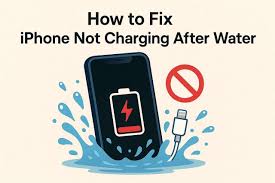
Apple devices are known for premium design, smart charging technology, and long-term reliability. However, even the most advanced iPhones, iPads, and MacBooks can develop serious charging problems after liquid exposure. In fact, Apple device charging issues caused by water damage are among the most common and misunderstood problems users face today.
Although a device may appear fine at first, water can silently damage internal charging components over time. Therefore, understanding the causes, warning signs, and professional repair options is essential. In this detailed guide, we explain why Apple device charging issues caused by water damage occur, what mistakes to avoid, and how expert repair restores safe and reliable charging.
Why Water Damage Affects Apple Device Charging Systems
First and foremost, Apple charging systems rely on highly sensitive electrical pathways. Even a small amount of moisture can disrupt power flow.
Moreover, water does not need to be visible to cause harm. Condensation, humidity, or brief spills can seep into charging ports, cables, and logic boards. As a result, Apple device charging issues caused by water damage often appear hours or days after exposure.
How Moisture Disrupts Charging
- Corrosion forms on charging pins
- Short circuits interrupt power delivery
- Charging IC chips malfunction
- Battery communication fails
Consequently, charging becomes slow, intermittent, or completely unresponsive.
Common Apple Charging Problems After Water Exposure
Although symptoms vary by device, several issues frequently indicate Apple device charging issues.
iPhone Charging Problems Linked to Water Damage
- Phone won’t charge at all
- “Liquid detected” warning appears
- Charging stops and starts repeatedly
- Device heats up while plugged in
iPad Charging Issues from Liquid Exposure
- iPad charges extremely slowly
- Charging only works at certain angles
- Battery percentage drops while charging
- USB-C or Lightning port feels loose
MacBook Charging Issues Caused by Moisture
- “Not Charging” message appears
- USB-C or MagSafe charger not detected
- Charging stops after a few minutes
- Battery drains even while plugged in
Thus, if any of these symptoms appear after liquid exposure, water damage is likely the root cause.
Hidden Water Damage Inside Apple Charging Ports
Interestingly, Apple charging ports can trap moisture without visible signs. Even when the port looks dry, corrosion may already be forming beneath the surface.
Furthermore, charging ports contain microscopic pins that corrode quickly. Therefore, Apple device charging issues caused by water damage often worsen over time if left untreated.
Why Drying Alone Is Not Enough
- Moisture remains under components
- Corrosion continues silently
- Electrical resistance increases
- Charging efficiency decreases
As a result, simple air-drying does not resolve internal damage.
Mistakes That Make Water-Related Charging Issues Worse
Unfortunately, many users unknowingly worsen Apple device charging issues caused by water damage by attempting unsafe fixes.
Common Charging Mistakes to Avoid
- Plugging in immediately after exposure
- Using heat sources like hair dryers
- Shaking the device to remove water
- Using uncertified charging cables
- Relying on rice or silica packs
Instead, these actions can push moisture deeper inside or damage internal circuits further.
Why Rice Does NOT Fix Apple Charging Problems
Although rice is a popular myth, it does not repair Apple device charging issues caused by water damage.
Rice may absorb surface moisture, but it cannot:
- Remove corrosion
- Clean charging contacts
- Repair damaged charging ICs
- Restore battery communication
Therefore, professional cleaning and diagnostics are essential for long-term repair.
How Professionals Diagnose Water-Damaged Charging Issues
Professional technicians follow structured diagnostic procedures to identify the exact cause of Apple device charging issues caused by water damage.
Advanced Diagnostic Steps Include
- Internal moisture inspection
- Charging port pin testing
- Battery health analysis
- Logic board current flow testing
- Corrosion mapping
As a result, technicians repair only the affected components instead of replacing unnecessary parts.
Professional Repair Methods That Restore Safe Charging
Once diagnosed, experts apply precise repair techniques to resolve Apple device charging issues caused by water damage safely.
Professional Repair Solutions
- Ultrasonic cleaning to remove corrosion
- Charging port repair or replacement
- Charging IC micro-soldering
- Battery recalibration or replacement
- Logic board trace repair
Consequently, charging performance is restored without risking user data.
Apple Charging Port Repair vs Replacement After Water Damage
Not all water-damaged charging ports need replacement. In many cases, professional cleaning restores full function.
Repair Is Ideal When
- Corrosion is minimal
- Charging pins are intact
- No structural port damage exists
Replacement Is Necessary When
- Pins are broken or burnt
- Port is physically loose
- Charging fails after cleaning
Thus, expert assessment prevents unnecessary costs.
Why DIY Fixes Fail for Water-Damaged Charging Issues
Although DIY cleaning appears tempting, it rarely resolves Apple device charging issues.
DIY methods often:
- Miss hidden corrosion
- Damage charging pins
- Void warranties
- Cause short circuits
Therefore, professional repair remains the safest option.
Milaaj Mobile Repair: Trusted Apple Charging Repair in Dubai
When facing Apple device charging issues caused by water damage, choosing the right repair center matters. This is where Milaaj mobile and laptop repair Dubai stands out.
Why Choose Milaaj Mobile Repair
- Low-price transparent repair options
- Fast charging repairs with minimal downtime
- Convenient walk-in & same-day service
- High-quality original-grade replacement parts
- Advanced tools for water damage recovery
Moreover, experienced technicians ensure data safety while restoring charging functionality efficiently.
How Long Does Water Damage Charging Repair Take?
In most cases, charging repairs are completed within a few hours. However, severe corrosion may require extended diagnostics.
Nevertheless, professional service ensures:
- Accurate repair
- Long-term reliability
- Safe charging restoration
How to Prevent Future Apple Charging Issues from Water
Prevention is always better than repair. Therefore, following these tips reduces the risk of Apple device charging issues caused by water damage.
Prevention Tips
- Avoid charging near liquids
- Use certified waterproof cases
- Keep charging ports clean and dry
- Disconnect chargers immediately after spills
- Schedule professional inspection after exposure
As a result, your device stays protected and performs optimally.
Conclusion: Restore Charging Safely After Water Damage
In conclusion, Apple device charging issues caused by water damage are serious but rarely permanent. With timely action, professional diagnostics, and expert repair, safe and reliable charging can be fully restored.
Rather than risking further damage with DIY attempts, choosing professional repair ensures speed, affordability, convenience, and long-lasting results. Ultimately, with the right care and expert support, your Apple device can regain stable charging performance without compromising data or safety.
Get professional iPhone repair services with expert technicians ensuring top-quality results.
Enjoy quick and reliable home delivery for your repaired or purchased devices.
Sell your old iPhone with confidence and get the best value instantly.
📍 Visit Any Milaaj Branch in Dubai
🔹 Bur Dubai
Milaaj Mobile and Laptop Repair Dubai
📞 055 258 8477
🔗 Google Maps
🔹 Al Barsha
Milaaj Mobiles and Laptop Repair Al Barsha
📞 052 596 2846
🔗 Google Maps
🔹 Al Barsha 3
Milaaj Service Center Reef Mall
📞 052 3405 814
🔗 Google Maps
🔹 Al Nuaimiya
Milaaj Mobiles and Laptops Ajman
📞 055 788 9654
🔗 Google Maps
📧 Email: support@milaaj.com
🕒 Operating Hours: Monday – Sunday




Leave a Reply