
Android smartphones are designed for durability and performance. However, over time, many users experience charging problems caused by dust, lint, or debris trapped inside the charging port. As a result, charging becomes slow, inconsistent, or stops altogether. Therefore, learning how to clean Android charging port safely is essential to maintain proper charging and extend your device’s lifespan.
Fortunately, most charging issues are not serious hardware failures. Instead, they are often caused by dirt buildup that blocks the charging connector. In this guide, we will explain how to clean Android charging port safely, what tools to use, what mistakes to avoid, and when professional repair is the better option.
Why Android Charging Ports Get Dirty Over Time
First and foremost, Android charging ports are exposed openings. Consequently, they collect dust, pocket lint, sand, and tiny debris daily. Moreover, placing your phone in pockets, bags, or dusty environments accelerates this buildup.
Additionally, frequent plugging and unplugging can push debris deeper into the port. Over time, this prevents the charging cable from making a solid connection. As a result, users notice loose charging cables or intermittent charging.
Therefore, understanding why debris accumulates helps you clean the Android charging port safely and prevent future issues.
Common Signs You Need to Clean an Android Charging Port
Before you begin cleaning, it is important to identify the warning signs. Typically, users experience the following symptoms:
- Charging cable feels loose
- Phone charges only at a certain angle
- Slow charging despite using a fast charger
- Charging disconnects frequently
- Android phone does not recognize the charger
If you notice any of these signs, then cleaning the port is often the first and safest solution.
How to Clean Android Charging Port Safely at Home
Cleaning your Android charging port safely requires patience and the right tools. However, it is equally important to avoid risky shortcuts.
Step 1: Power Off Your Android Device
First and foremost, turn off your phone completely. This step is crucial because cleaning a powered device can cause short circuits or internal damage.
Step 2: Inspect the Charging Port Carefully
Next, use a flashlight or phone torch to inspect the charging port. By doing so, you can identify visible debris and understand how much cleaning is needed.
Step 3: Use a Wooden Toothpick or Plastic Tool
After inspection, gently insert a wooden toothpick or plastic cleaning tool. Carefully scrape the sides of the port without applying force. Meanwhile, avoid touching the metal charging pins directly.
Step 4: Remove Loose Debris Gradually
As you continue, pull debris outward instead of pushing it deeper. Additionally, take breaks and recheck the port using light to ensure progress.
Step 5: Use Compressed Air (Optional)
If available, use compressed air to blow out remaining dust. However, do not spray too closely, as excessive pressure may damage internal components.
By following these steps, you can clean the Android charging port safely without risking internal damage.
What NOT to Do When Cleaning an Android Charging Port
While learning how to clean Android charging port safely, it is just as important to know what to avoid.
- Never use metal objects like pins or needles
- Do not pour liquids or alcohol directly into the port
- Avoid excessive force or scraping
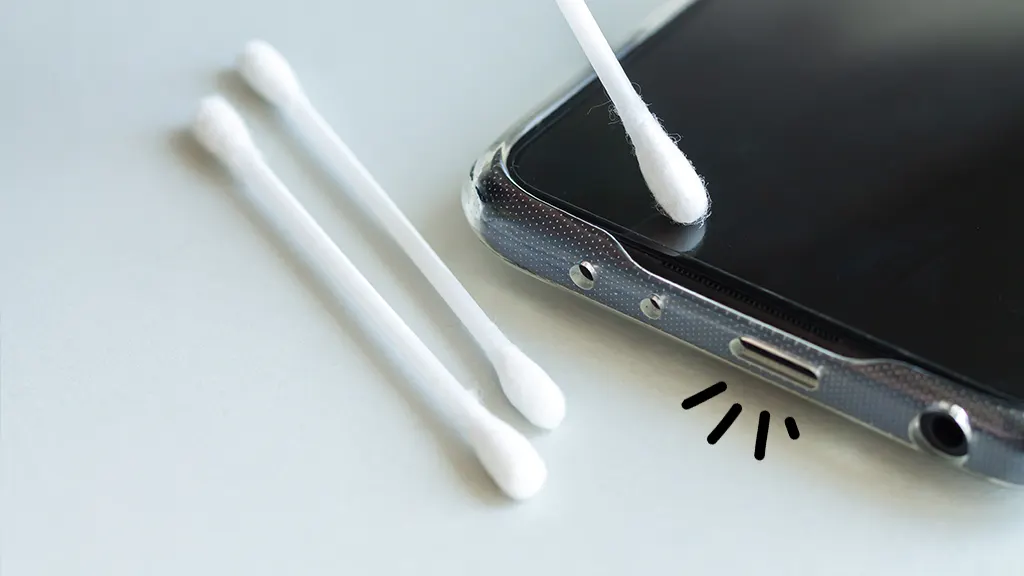
- Do not use cotton swabs that leave fibers
Otherwise, these mistakes can permanently damage the charging connector or logic board.
Why Cleaning Sometimes Doesn’t Fix Charging Issues
Although cleaning helps in most cases, some issues persist. For example, internal corrosion, bent pins, or charging IC problems cannot be fixed by cleaning alone.
Additionally, repeated exposure to moisture can damage internal contacts. Therefore, if cleaning does not restore proper charging, professional inspection is necessary.
DIY Cleaning vs Professional Android Charging Port Repair
At this point, you may wonder whether DIY cleaning is always enough. While basic cleaning works for surface debris, deeper issues require expert tools and experience.
DIY Cleaning Benefits
- Cost-effective
- Quick solution for minor debris
- No disassembly required
Professional Repair Benefits
- Safe internal inspection
- Advanced cleaning tools
- Port repair or replacement if needed
- No risk of data loss
Thus, knowing when to stop DIY cleaning protects your device from further damage.
How Professionals Clean Android Charging Ports Safely
Professional technicians follow a structured process. First, they inspect the charging port using magnification tools. Next, they use anti-static equipment to remove debris safely. If needed, they repair or replace damaged connectors.
Most importantly, professional methods ensure that charging pins remain intact and functional.
Preventing Future Android Charging Port Issues
After learning how to clean Android charging port safely, prevention becomes equally important.
- Keep your phone in a clean pocket or case
- Avoid charging in dusty or humid areas
- Use high-quality charging cables
- Cover the port when outdoors
By following these habits, you reduce the need for frequent cleaning.
Milaaj Mobile Repair: Trusted Android Charging Port Cleaning in Dubai
If home cleaning doesn’t work or you prefer expert care, Milaaj mobile and laptop repair Dubai offers professional Android charging port cleaning and repair services.
Why Choose Milaaj Mobile Repair?
- Low-cost service: Affordable pricing without hidden charges
- Fast repairs: Most charging port cleanings completed the same day
- Convenient location: Easy access and quick service
- High-quality parts: Only tested and reliable components used
- Safe process: No data loss or unnecessary replacements
Moreover, trained technicians ensure your Android device charges properly again without compromising internal components.
When Should You Visit a Repair Center Instead of DIY Cleaning?
You should seek professional help if:
- Charging issues persist after cleaning
- Phone overheats while charging
- Charger disconnects frequently
- Charging port feels damaged or loose
In such cases, continuing DIY attempts may worsen the issue.
FAQs
1. How to clean Android charging port safely at home?
First, power off your device. Then, gently remove visible dust using a wooden toothpick or soft brush. Avoid metal tools, liquids, or compressed air to clean the Android charging port safely.
2. Can dust in the charging port cause charging problems?
Yes. Dust, lint, and debris can block the connector, causing loose charging, slow charging, or complete charging failure on Android devices.
3. Is it safe to use alcohol to clean an Android charging port?
Only professionals should use isopropyl alcohol. Improper use may damage internal components, so it’s safer to avoid liquids during DIY cleaning.
4. How often should I clean my Android charging port?
Generally, once every few months is sufficient. However, if your phone stays in pockets or dusty environments, more frequent cleaning may be necessary.
5. What should I avoid while cleaning an Android charging port?
Avoid metal pins, water, sharp objects, and blowing air directly into the port, as these can damage charging pins or push debris deeper inside.
Final Thoughts: Clean Android Charging Port Safely for Long-Term Performance
In conclusion, learning how to clean Android charging port safely can save time, money, and frustration. While gentle cleaning at home works for minor debris, deeper issues require professional attention.
Therefore, combining proper cleaning habits with expert repair support ensures reliable charging, improved performance, and longer device life. With the right approach, your Android phone can charge smoothly and safely every day.
Get professional Mobile Phone repair services with expert technicians ensuring top-quality results.
Instead of trying random recovery apps, always rely on certified software or trusted repair centers like Milaaj for secure data restoration.
Enjoy quick and reliable home delivery for your repaired or purchased devices.
Sell your old Phone with confidence and get the best value instantly.
📍 Visit Any Milaaj Branch in Dubai
🔹 Bur Dubai
Milaaj Mobile and Laptop Repair Dubai
📞 055 258 8477
🔗 Google Maps
🔹 Al Barsha
Milaaj Mobiles and Laptop Repair Al Barsha
📞 052 596 2846
🔗 Google Maps
🔹 Al Barsha 3
Milaaj Mobiles and Gaming Store
📞 052 3405 814
🔗 Google Maps
🔹 Al Nuaimiya
Milaaj Mobiles and Laptops Ajman
📞 055 788 9654
🔗 Google Maps
📧 Email: support@milaaj.com
🕒 Operating Hours: Monday – Sunday




Leave a Reply