
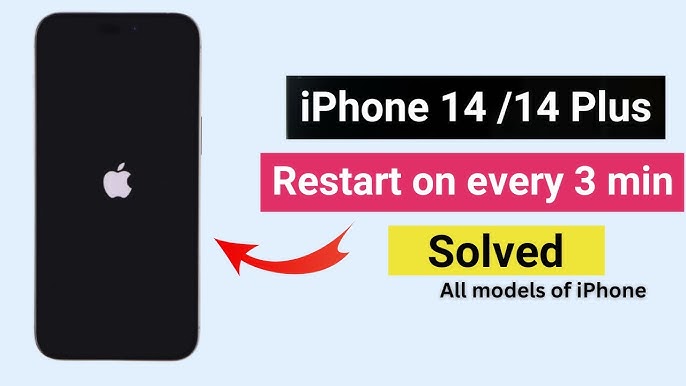
The iPhone 14 is known for its advanced performance, smooth iOS experience, and premium build quality. However, many users report a frustrating issue where the iPhone 14 keeps restarting unexpectedly, interrupting daily tasks, calls, and productivity. When this problem occurs repeatedly, it not only affects performance but also raises concerns about hardware safety and data loss.
Fortunately, if your iPhone 14 keeps restarting, the issue is usually fixable. Therefore, understanding the real causes and applying the right solutions can help restore stability and prevent further damage. In this detailed guide, we’ll explain why iPhone 14 restart issues happen and how to fix them safely and reliably.
Why Does the iPhone 14 Keep Restarting?
Before jumping into solutions, it’s important to understand why the iPhone 14 keeps restarting automatically. In most cases, the problem is linked to software conflicts, battery issues, or underlying hardware faults. Moreover, ignoring the warning signs can make the issue worse over time.
Common reasons include:
- iOS software bugs or failed updates
- Battery health degradation
- Overheating or internal temperature regulation issues
- Corrupted apps or background processes
- Storage overload or system file errors
As a result, identifying the exact cause helps determine the most effective fix.
Software-Related Reasons iPhone 14 Keeps Restarting
iOS Update Bugs and System Glitches
One of the most common reasons the iPhone 14 keeps restarting is an unstable iOS update. Sometimes, incomplete installations or bugs in new iOS versions can trigger random reboots. Consequently, the device struggles to maintain system stability.
App Conflicts Causing Continuous Restarts
Additionally, poorly optimized or outdated apps can overload system memory. When this happens, the iPhone may restart repeatedly to protect itself. Therefore, removing problematic apps is often a crucial first step.
Corrupted System Files
In some cases, corrupted iOS files interfere with system operations. As a result, the iPhone 14 restart loop becomes frequent and unpredictable.
Hardware Issues That Cause iPhone 14 Restarting Problems
Battery Health Problems
If your iPhone 14 keeps restarting, battery health should be checked immediately. A degraded battery cannot supply consistent power, especially during high-performance tasks. Consequently, the phone shuts down and restarts to prevent failure.
Overheating and Internal Sensors
Furthermore, overheating is a major trigger. When the device temperature rises beyond safe limits, internal sensors force the iPhone to restart. This often happens during charging, gaming, or heavy app usage.
Internal Component Damage
Sometimes, internal connectors or logic board components may be damaged due to drops or moisture exposure. As a result, power delivery becomes unstable, leading to frequent restarts.
How Storage Issues Make iPhone 14 Keep Restarting
Surprisingly, low storage can also cause serious stability problems. When system storage is nearly full, iOS struggles to perform background processes. Consequently, the iPhone 14 keeps restarting during app launches or system tasks.
Therefore, freeing up storage space is essential for long-term performance and stability.
Step-by-Step Solutions to Fix iPhone 14 Restart Issues
1. Force Restart the iPhone
First and foremost, perform a force restart. Although simple, this step clears temporary system glitches that may cause the iPhone 14 to restart continuously.
2. Update iOS to the Latest Version
Next, ensure your iPhone is running the latest iOS version. Apple often releases updates to fix bugs that cause devices to restart randomly.
3. Check Battery Health
Go to Settings > Battery > Battery Health. If maximum capacity is significantly reduced, battery replacement may be necessary. Otherwise, the iPhone 14 keeps restarting due to unstable power flow.
4. Remove Problematic Apps
Additionally, uninstall recently installed or rarely used apps. After that, monitor whether the restart issue continues.
5. Free Up Storage Space
Delete unused files, videos, and cached data. A healthier storage balance allows iOS to operate smoothly and reduces restart loops.
When DIY Fixes Don’t Work
Although basic troubleshooting helps in many cases, persistent issues indicate deeper problems. If the iPhone 14 keeps restarting even after software fixes, professional diagnosis becomes essential. Attempting unsafe DIY repairs may lead to data loss or permanent damage.
Professional Repair Solutions That Actually Work
Certified technicians use advanced diagnostic tools to identify the root cause accurately. Moreover, professional repair ensures:
- Safe battery replacement
- Logic board inspection
- Data protection during repair
- Long-lasting performance restoration
As a result, expert repair eliminates repeated restart problems efficiently.
Why Choose Professional iPhone Repair Instead of DIY?
While DIY methods seem affordable initially, they often create more issues. In contrast, professional repair provides reliable, tested solutions. Furthermore, experts use proper tools and genuine components to ensure device safety.
Milaaj Mobile Repair: Trusted iPhone Restart Solutions
When your iPhone 14 keeps restarting, choosing the right repair center matters. Milaaj mobile and laptop repair Dubai offers professional Apple repair solutions backed by expert technicians and quality standards.
What Makes Milaaj Mobile Repair Different?
- Low Price: Affordable repair options without compromising quality
- Fast Repairing: Most restart and battery issues fixed the same day
- Convenience: Easy service process with expert guidance
- High-Quality Parts: Genuine and tested components only
- Data Safety: Repairs performed without risking personal data
Therefore, customers receive reliable repairs that last.
How Experts Prevent iPhone 14 Restart Issues Permanently
Professional technicians don’t just fix the problem they prevent it from returning. By optimizing battery health, cleaning internal connectors, updating firmware, and testing system stability, they ensure the iPhone 14 keeps restarting issue is resolved for good.
Preventive Tips to Avoid iPhone 14 Restart Problems
- Always update iOS through stable Wi-Fi
- Avoid using damaged chargers or cables
- Keep storage space available
- Monitor battery health regularly
- Prevent overheating during charging
As a result, these habits extend your device’s lifespan significantly.
FAQs – iPhone 14 Keeps Restarting
Why does my iPhone 14 keep restarting randomly?
Usually, this happens due to iOS bugs, battery health issues, overheating, or corrupted system files.
Can battery issues cause iPhone 14 restart loops?
Yes. A weak or degraded battery often causes unstable power delivery, leading to repeated restarts.
Will updating iOS fix iPhone 14 restarting problems?
In many cases, yes. iOS updates fix bugs that cause system instability and restart loops.
Is data safe during professional iPhone repair?
Yes. Expert technicians use safe methods that protect user data during repairs.
How long does it take to fix iPhone 14 restart issues?
Most repairs, including battery replacement and diagnostics, are completed within a few hours.
Conclusion
In conclusion, if your iPhone 14 keeps restarting, the issue should never be ignored. While software glitches and storage problems can often be fixed easily, hardware-related issues require professional care. Moreover, choosing expert repair ensures safety, performance, and long-term reliability.
With proper diagnosis and quality repair support, your iPhone 14 can return to smooth, uninterrupted performance quickly and safely.
Get professional iPhone 14 repair services with expert technicians ensuring top-quality results.
Enjoy quick and reliable home delivery for your repaired or purchased devices.
Sell your old iPhone with confidence and get the best value instantly.
📍 Visit Any Milaaj Branch in Dubai
🔹 Bur Dubai
Milaaj Mobile and Laptop Repair Dubai
📞 055 258 8477
🔗 Google Maps
🔹 Al Barsha
Milaaj Mobiles and Laptop Repair Al Barsha
📞 052 596 2846
🔗 Google Maps
🔹 Al Barsha 3
Milaaj Service Center Reef Mall
📞 052 3405 814
🔗 Google Maps
🔹 Al Nuaimiya
Milaaj Mobiles and Laptops Ajman
📞 055 788 9654
🔗 Google Maps
📧 Email: support@milaaj.com
🕒 Operating Hours: Monday – Sunday




Leave a Reply