
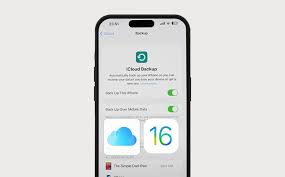
Losing important photos, messages, or documents can be stressful — especially when your iPhone suffers physical or liquid damage. The latest iPhone 16, despite its advanced durability and protection features, is still vulnerable to sudden data loss. So, is iPhone 16 data recovery after damage really possible? The good news is yes — in most cases, recovering your valuable information is achievable with the right tools and professional expertise.
In this detailed guide, we’ll explore how iPhone 16 data recovery after damage works, what types of damage affect data retrieval, and when it’s best to seek professional repair assistance.
Understanding iPhone 16 Data Recovery After Damage
Before diving into the recovery methods, it’s essential to understand how your iPhone stores data. The iPhone 16 uses advanced NAND flash memory, tightly integrated with the logic board for faster speed and better data protection. However, this integration also means that physical or liquid damage can directly affect both hardware and software data access.
Therefore, learning how iPhone 16 data recovery after damage works helps you act quickly and prevent further data loss.
Types of Damage That Affect iPhone 16 Data Recovery
1. Water or Liquid Damage
Even though the iPhone 16 features IP68 water resistance, prolonged exposure to liquid can still corrode internal circuits or short the logic board. This is one of the most common reasons for data loss.
When water seeps into the board, it can disable NAND memory access, making recovery challenging. However, with expert diagnostics and ultrasonic cleaning, iPhone 16 data recovery after damage is often possible.
2. Physical or Drop Damage
Accidental drops can cause the logic board to crack or disconnect critical components. In severe cases, even though your iPhone won’t turn on, the data might still be intact on the memory chip.
Technicians can sometimes perform micro-soldering to access the chip directly, allowing partial or full iPhone 16 data recovery after damage.
3. Software Corruption
Software crashes, iOS update failures, or jailbreaking errors can lead to data corruption. While not physical damage, such issues can still make files inaccessible.
Fortunately, recovery tools and firmware reinstalls can restore the operating system, leading to successful iPhone 16 data recovery after damage without hardware repairs.
Common Signs That Data May Still Be Recoverable
If you suspect your iPhone is damaged, it’s important not to panic. In many situations, signs indicate that iPhone 16 data recovery after damage remains possible:
- The device turns on but doesn’t boot past the Apple logo.
- The screen stays black, but you hear notification sounds.
- The phone heats up abnormally when charging.
- iTunes or Finder recognizes the iPhone when connected to a computer.
- Only certain apps or functions (like the camera or storage) aren’t responding.
These symptoms suggest that your data may still exist in the internal memory and can be retrieved using the right recovery process.
Immediate Steps to Take After iPhone Damage
Acting quickly is key when attempting iPhone 16 data recovery after repair. Follow these steps immediately after noticing damage:
- Turn Off Your iPhone: Continuing to power a damaged iPhone can worsen short circuits or corrupt memory.
- Avoid Charging It: Do not plug in the device if there’s any sign of liquid entry.
- Dry the Device (If Wet): Gently pat it dry and avoid heat sources like hairdryers.
- Do Not Attempt DIY Repairs: Opening the device without proper tools can cause irreversible damage.
- Contact Professionals: Experts like Milaaj can safely perform iPhone 16 data recovery after damage using advanced diagnostic tools.
Professional iPhone 16 Data Recovery After Damage: How It Works
Professional recovery involves specialized tools and expertise that go beyond regular user capabilities. Here’s how experts typically handle the process:
1. Initial Inspection and Diagnostics
Technicians begin by assessing the type and extent of damage. This includes checking for short circuits, board corrosion, and power delivery faults.
2. Logic Board Repair or Chip Access
If the logic board is damaged, micro-soldering may be required to restore data access. The goal is to revive the NAND memory chip, where your photos, contacts, and files are stored.
3. Software-Level Recovery
Once the device is stabilized, recovery tools are used to extract files directly from the chip or iOS system.
4. Data Extraction and Backup
After successful retrieval, data is securely backed up to an external drive, cloud, or another iPhone.
Through this precise process, iPhone 16 data recovery after repair becomes achievable even in complex scenarios.
DIY vs. Professional iPhone 16 Data Recovery After Damage
You might be tempted to try data recovery software or DIY methods, but these often worsen the problem.
Let’s compare:
| Aspect | DIY Data Recovery | Professional Recovery (Milaaj) |
|---|---|---|
| Safety | Risk of permanent loss | Secure and controlled |
| Tools | Basic recovery apps | Advanced forensic tools |
| Success Rate | Low | High |
| Hardware Access | Not possible | Micro-soldering capable |
| Warranty | Can void | Protected repair process |
Clearly, professional iPhone 16 data recovery after repair ensures a safer and more effective outcome.
When to Seek Expert Help
If your iPhone 16 fails to boot, heats excessively, or shows no display but vibrates when connected to a charger, you should not delay seeking help. These are signs of deeper hardware issues that require advanced diagnostics.
At Milaaj, certified technicians specialize in iPhone 16 data recovery after repair caused by liquid, impact, or software errors. Using state-of-the-art tools, they can often retrieve your data even when Apple Support declares it unrecoverable.
How to Prevent Future Data Loss
While damage recovery is possible, prevention is always better. Here are some practical ways to protect your iPhone 16 data:
- Enable Automatic iCloud Backup: Always keep a recent backup in case of emergencies.
- Use iTunes or Finder Backup: Regular offline backups provide extra safety.
- Protect Your Device Physically: Use water-resistant cases and screen protectors.
- Avoid Extreme Conditions: High heat or cold can stress internal components.
- Update iOS Regularly: New updates fix system bugs and prevent data corruption.
Following these habits ensures you won’t need iPhone 16 data recovery after repair too often in the future.
Why Choose Milaaj for Data Recovery
When it comes to iPhone 16 data recovery after repair, choosing the right experts makes all the difference. Milaaj offers:
- Certified technicians experienced in micro-level iPhone repairs.
- Advanced tools for NAND and logic board recovery.
- Safe and secure data extraction with complete confidentiality.
- Affordable, transparent pricing.
- Quick turnaround for urgent data recovery needs.
With their proven expertise, Milaaj ensures your device and data are handled with the utmost care and professionalism.
Key Takeaways on iPhone 16 Data Recovery After Damage
- Most data is recoverable unless the memory chip itself is damaged.
- Time matters: Quick action increases recovery chances.
- Avoid DIY fixes that may worsen the issue.
- Professional help ensures maximum recovery success.
Ultimately, iPhone 16 data recovery after damage is absolutely possible — provided it’s handled by trained experts using the right tools.
iPhone 16 data recovery after damage
In conclusion, when your iPhone 16 faces accidental damage, it doesn’t mean your data is gone forever. With the right approach and timely action, iPhone 16 data recovery after damage can restore your memories, files, and peace of mind.
Whether the issue stems from liquid exposure, hardware failure, or software glitches, professional technicians at Milaaj Mobile and Laptop Repair Dubai can help you retrieve what matters most — safely and efficiently.
Get professional iPhone repair services with expert technicians ensuring top-quality results.
Instead of trying random recovery apps, always rely on certified software or trusted repair centers like Milaaj for secure data restoration.
Enjoy quick and reliable home delivery and iPhone home service for your repaired or purchased devices.
Sell your old iPhone with confidence and get the best value instantly.
📍 Visit Any Milaaj Branch in Dubai
🔹 Bur Dubai
Milaaj Mobile and Laptop Repair Dubai
📞 055 258 8477
🔗 Google Maps
🔹 Al Barsha
Milaaj Mobiles and Laptop Repair Al Barsha
📞 052 596 2846
🔗 Google Maps
🔹 Al Barsha 3
Milaaj Mobiles and Gaming Store
📞 052 3405 814
🔗 Google Maps
🔹 Al Nuaimiya
Milaaj Mobiles and Laptops Ajman
📞 055 788 9654
🔗 Google Maps
📧 Email: support@milaaj.com
🕒 Operating Hours: Monday – Sunday


Leave a Reply