
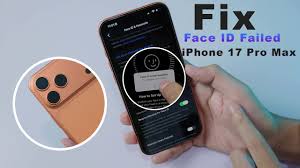
Apple designed Face ID to deliver fast, secure, and effortless access to the iPhone 17 Pro. However, many users unexpectedly face a frustrating issue iPhone 17 Pro Face ID not working properly. Whether Face ID suddenly becomes unavailable, fails to recognize your face, or stops working after an update, the problem can seriously affect daily convenience and security.
Fortunately, iPhone 17 Pro Face ID issue is rarely a permanent failure. In most cases, the issue is linked to software glitches, calibration errors, or minor hardware problems. Therefore, understanding the real causes and choosing the correct solutions can restore Face ID safely and effectively. In this detailed guide, we explain why Face ID fails, what mistakes to avoid, and how professional repair services can ensure long-lasting results.
Why Is iPhone 17 Pro Face ID Not Working?
When iPhone 17 Pro Face ID issue becomes an issue, several factors may be responsible. Although the technology is advanced, it still relies on precise hardware and optimized software performance.
Common Reasons for iPhone 17 Pro Face Recognition Failure
First of all, dirt, dust, or fingerprints on the TrueDepth camera can prevent accurate face scanning. Additionally, screen protectors or cases that partially block sensors may interfere with Face ID functionality.
Software Bugs Affecting Face ID Performance
Moreover, temporary iOS glitches can disrupt Face ID settings. As a result, the phone may show “Face ID unavailable” even when the hardware is intact.
Hardware Issues Impacting Face ID Sensors
In some cases, iPhone 17 Pro Face ID issue is caused by internal sensor misalignment or damage. This often happens after accidental drops or liquid exposure.
iPhone 17 Pro Face ID Not Working After iOS Update
Very often, users report iPhone 17 Pro Face ID issue after an iOS update. While updates aim to improve performance and security, they can occasionally trigger compatibility issues.
How iOS Updates Affect Face ID for iPhone 17 Pro Face ID Not Working
Sometimes, system files do not install correctly during updates. Consequently, Face ID calibration may reset or malfunction.
Fixing Face ID Issues After Apple Updates
Restarting the device, resetting Face ID settings, or installing minor patches can help. However, if Face ID still fails, professional diagnosis becomes essential.
How to Fix iPhone 17 Pro Face ID Not Working at Home
Before assuming serious damage, there are several safe steps you can try. Nevertheless, caution is important to avoid making the problem worse.
Check TrueDepth Camera and Sensor Area
First, clean the front camera area gently with a microfiber cloth. Even light smudges can cause Face ID errors.
Reset and Reconfigure Face ID Settings
Next, go to Settings → Face ID & Passcode → Reset Face ID. Then, set it up again in good lighting conditions.
Restart iPhone to Clear Temporary Glitches
Additionally, restarting the device can refresh system processes and restore Face ID functionality.
Although these steps help in many cases, iPhone 17 Pro Face ID issue due to hardware issues requires expert repair.
Advanced Solutions for iPhone 17 Pro Face ID Issues
If basic troubleshooting fails, advanced repair methods may be necessary.
iOS System Restore and Calibration for iPhone 17 Pro Face ID Not Working
Professional technicians use specialized tools to recalibrate Face ID sensors without affecting data.
Identifying Internal Sensor Damage
Face ID relies on multiple components working together. Therefore, even minor internal damage can disable the system completely.
Mistakes to Avoid When Face ID Stops Working
When facing iPhone 17 Pro Face ID issue, many users unknowingly make mistakes that worsen the issue.
Why DIY Repairs Are Risky for iPhone 17 Pro Face ID Not Working
Opening the phone without proper tools can permanently disable Face ID, since Apple pairs sensors uniquely to each device.
Using Low-Quality Replacement Parts
Cheap replacement screens or sensors can prevent Face ID from ever functioning again.
Thus, professional repair is always the safest option.
When to Seek Professional Face ID Repair
If Face ID remains unavailable despite troubleshooting, professional repair becomes unavoidable.
Signs You Need Expert Face ID Repair
- Persistent “Face ID unavailable” message
- Face ID stopped working after a drop
- Face recognition failure after screen replacement
In such cases, trained technicians can accurately diagnose the issue.
Why Professional Repair Is the Best Choice
Professional repair offers several advantages when dealing with iPhone 17 Pro Face ID issue.
Accurate Diagnosis
Experts identify whether the issue is software-related or hardware-based.
Safe Sensor Repair and Calibration
Technicians restore Face ID without affecting device security or performance.
Long-Term Reliability
Professional repairs ensure Face ID works smoothly for the long term.
Milaaj Mobile Repair: Trusted Face ID Repair in Dubai
If you’re dealing with iPhone 17 Pro Face ID issue, Milaaj mobile and laptop repair Dubai provides reliable, expert solutions using industry-standard repair methods.
Low-Price iPhone Face ID Repair
Face ID repair is offered at competitive prices without compromising quality.
Fast Repair and Speedy Turnaround
Most Face ID issues are diagnosed and repaired quickly, minimizing downtime.
High-Quality Parts and Professional Tools
Only premium-quality components and proper calibration tools are used to ensure Face ID accuracy.
Convenience and Customer-Focused Service
From easy consultations to transparent pricing, repairs are designed for maximum convenience.
How to Prevent Future iPhone 17 Pro Face ID Not Working Problems
Preventive care helps reduce the risk of Face ID failure.
Protect the TrueDepth Camera
Avoid cheap screen protectors that block sensors.
Update iOS Carefully
Ensure stable internet during updates to prevent system corruption.
Handle Your iPhone with Care
Drops and liquid exposure remain major causes of Face ID damage.
FAQs About iPhone 17 Pro Face ID Not Working
Why is my iPhone 17 Pro Face ID not working suddenly?
Sudden Face ID failure often results from software glitches, dirt on sensors, or internal damage.
Can Face ID stop working after screen replacement?
Yes, non-original screens or improper installation can permanently disable Face ID.
Is Face ID repair possible without data loss?
In most cases, professional repair restores Face ID without affecting stored data.
How long does Face ID repair take?
Repair time depends on the issue, but many cases are resolved the same day.
Is Face ID repair expensive?
Face ID repair is generally affordable when handled early by experts.
Final Thoughts: iPhone 17 Pro Face ID Not Working
Although iPhone 17 Pro Face ID not working can be frustrating, it is rarely permanent. With proper troubleshooting, timely professional repair, and expert handling, Face ID functionality can be restored safely and efficiently. Instead of risking permanent damage with DIY fixes, choosing professional repair ensures security, accuracy, and long-lasting results.
If your iPhone 17 Pro Face ID isn’t working as expected, acting early is the smartest way to protect both your device and your data.
Get professional iPhone repair services with expert technicians ensuring top-quality results.
Enjoy quick and reliable home delivery for your repaired or purchased devices.
Sell your old iPhone with confidence and get the best value instantly.
📍 Visit Any Milaaj Branch in Dubai
🔹 Bur Dubai
Milaaj Mobile and Laptop Repair Dubai
📞 055 258 8477
🔗 Google Maps
🔹 Al Barsha
Milaaj Mobiles and Laptop Repair Al Barsha
📞 052 596 2846
🔗 Google Maps
🔹 Al Barsha 3
Milaaj Service Center Reef Mall
📞 052 3405 814
🔗 Google Maps
🔹 Al Nuaimiya
Milaaj Mobiles and Laptops Ajman
📞 055 788 9654
🔗 Google Maps
📧 Email: support@milaaj.com
🕒 Operating Hours: Monday – Sunday



Leave a Reply