
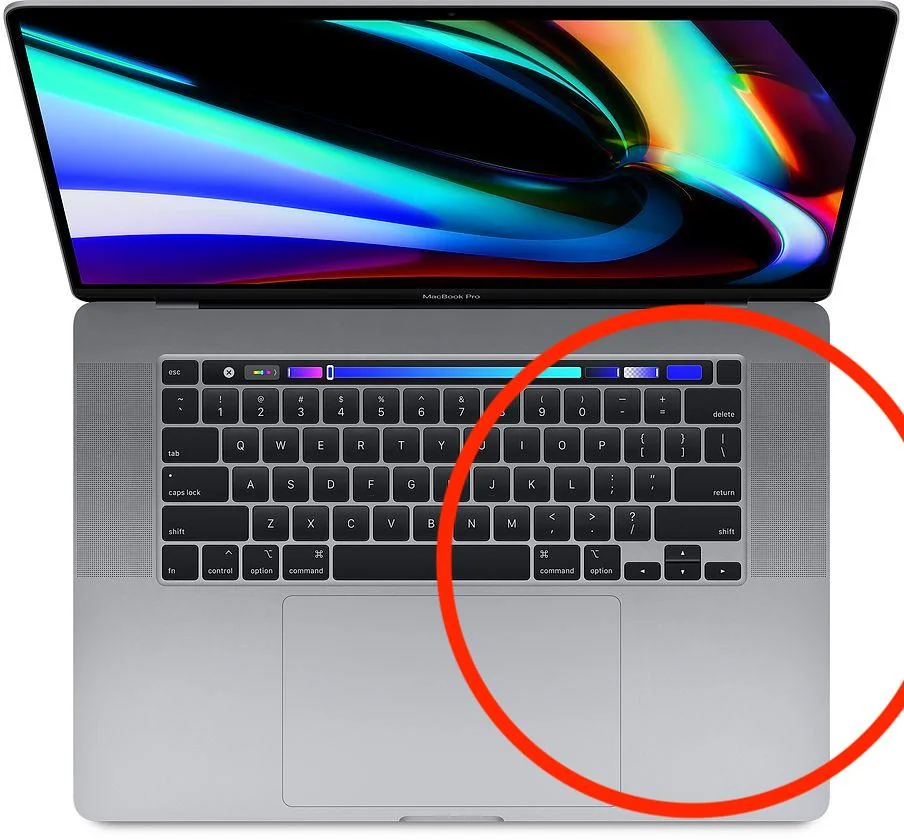
A liquid spill can instantly turn into a nightmare, especially when your MacBook keyboard is not working after spill. Whether it’s water, coffee, tea, or juice, liquid damage can silently affect internal components. However, understanding what happens next and how experts fix the issue can help you avoid permanent damage. Therefore, this guide explains causes, safe fixes, and professional solutions in detail.
Why Is My MacBook Keyboard Not Working After Spill?
When a spill occurs, liquid seeps beneath the keys and reaches sensitive circuits. As a result, your MacBook keyboard not working after spill becomes a common and serious issue. Moreover, Apple keyboards are compact, leaving little room for moisture to escape.
Common Reasons for Keyboard Failure After Liquid Spill
- Short circuits on the keyboard flex cable
- Corrosion forming on logic board connectors
- Sticky residue blocking key movement
- Damage to the keyboard backlight layer
Consequently, even a small spill can cause delayed failure days later.
Immediate Symptoms of MacBook Keyboard Liquid Damage
If your MacBook keyboard is not working after spill, symptoms may appear instantly or gradually. Therefore, recognizing them early can prevent further damage.
Signs Your MacBook Keyboard Has Liquid Damage
- Certain keys stop responding
- Keys type random characters
- Keyboard backlight flickers or fails
- Trackpad works but keyboard doesn’t
- MacBook turns on but keyboard is dead
However, the device may still boot, which often confuses users into delaying repair.
What Happens Internally After a MacBook Spill?
Internally, liquid spreads fast. Even if you wipe the surface, moisture remains trapped. As a result, oxidation begins.
How Corrosion Develops Over Time for MacBook keyboard not working After Spill
- Minerals in liquid corrode copper traces
- Residue causes ongoing electrical leakage
- Rust forms under keyboard layers
Therefore, ignoring a MacBook keyboard not working after spill can lead to logic board damage.
What to Do Immediately After Spilling Liquid on MacBook
Taking the right steps early can reduce damage. However, wrong actions can make it worse.
Safe First Steps After a Spill for MacBook keyboard not working After Spill
- Immediately power off the MacBook
- Unplug charger and accessories
- Turn the device upside down
- Gently blot excess liquid
Meanwhile, never press keys to “test” them, as this spreads moisture further.
Mistakes That Make Keyboard Damage Worse
Although many online tips exist, some are harmful. Therefore, avoid the following if your MacBook keyboard is not working after spill.
Actions You Should Never Take
- Using a hair dryer or heat gun
- Leaving the MacBook in rice
- Continuing to use the device
- Spraying cleaning liquids
Instead, professional internal cleaning is required.
Can a MacBook Keyboard Be Fixed After Liquid Spill?
Yes, in many cases. However, success depends on how quickly repair is done.
Repair Possibilities Based on Damage Level
- Minor spill: Ultrasonic cleaning restores keyboard
- Moderate corrosion: Circuit repair + cleaning
- Severe damage: Keyboard replacement required
Therefore, expert inspection is essential when your MacBook keyboard is not working after spill.
Software Checks to Try (If Damage Is Minor)
In rare cases, liquid triggers temporary glitches. Before repair, professionals check software too.
Basic Software Diagnostics for MacBook keyboard not working After Spill
- Reset SMC and NVRAM
- Test keyboard in Safe Mode
- Use external keyboard for diagnosis
However, if keys still fail, hardware repair is unavoidable.
Professional Repair vs DIY: Why Experts Matter
Although DIY methods seem cheaper, they often lead to permanent damage. Consequently, professional repair is safer and more cost-effective.
Benefits of Professional Liquid Damage Repair
- Complete internal cleaning
- Corrosion removal at component level
- Keyboard circuit testing
- Data protection assurance
As a result, experts restore function without risking data loss.
MacBook Keyboard Replacement: When Is It Necessary?
If corrosion has destroyed the membrane, replacement becomes unavoidable.
Indicators You Need Keyboard Replacement
- Multiple keys permanently dead
- Keyboard not detected at all
- Severe corrosion under key matrix
Nevertheless, experts always attempt repair before replacement to reduce cost.
Milaaj Mobile Repair – Trusted MacBook Keyboard Repair in Dubai
When your MacBook keyboard is not working after spill, professional help makes all the difference. Milaaj mobile and laptop repair Dubai specializes in liquid damage recovery using advanced tools and skilled technicians.
Why Choose Milaaj for MacBook Keyboard Repair?
- Low-price and transparent repair solutions
- Fast diagnosis and speedy repairing
- High-quality replacement parts
- Convenient walk-in service
- Experienced liquid-damage specialists
Therefore, instead of risking DIY damage, expert repair ensures long-lasting results.
How Experts Fix MacBook Keyboard Liquid Damage
Professional technicians follow a proven process.
Step-by-Step Expert Repair Process
- Full device disassembly
- Ultrasonic cleaning of keyboard layers
- Corrosion treatment on connectors
- Circuit-level testing
- Keyboard repair or replacement
As a result, functionality is restored safely and efficiently.
How to Prevent Keyboard Damage in the Future
Prevention is always better than repair. Therefore, adopting simple habits can protect your MacBook.
Practical Prevention Tips
- Use a keyboard cover
- Avoid liquids near your MacBook
- Clean spills immediately
- Store device in a dry environment
Consequently, you reduce the risk of another MacBook keyboard not working after spill scenario.
FAQs About MacBook keyboard not working After Spill
❓ Can a MacBook keyboard work again after liquid spill?
Yes, if corrosion is limited. Professional cleaning often restores keyboard functionality completely.
❓ How long does MacBook keyboard repair take after spill?
Most repairs are completed within 24–48 hours, depending on damage severity.
❓ Will liquid damage delete my MacBook data?
No. Keyboard repair does not affect stored data when handled professionally.
❓ Is keyboard replacement always required after a spill?
Not always. Many cases only require cleaning and minor circuit repair.
❓ Should I turn on my MacBook to check the keyboard after spill?
No. Powering it on can cause short circuits and worsen damage.
Final Thoughts: MacBook keyboard not working After Spill
A MacBook keyboard not working after spill is a serious issue, but it is often repairable if handled correctly. Therefore, quick action, avoiding DIY mistakes, and choosing expert repair are essential. With professional care, your MacBook can be restored efficiently, safely, and affordably.
Get professional macbook repair services with expert technicians ensuring top-quality results.
Instead of trying random recovery apps, always rely on certified software or trusted repair centers like Milaaj for secure data restoration.
Back in your hands faster: Enjoy rapid, reliable doorstep delivery for every device we service or sell.
Sell your old iPhone with confidence and get the best value instantly.
📍 Visit Any Milaaj Branch in Dubai
🔹 Bur Dubai
Milaaj Mobile and Laptop Repair Dubai
📞 055 258 8477
🔗 Google Maps
🔹 Al Barsha
Milaaj Mobiles and Laptop Repair Al Barsha
📞 052 596 2846
🔗 Google Maps
🔹 Al Barsha 3
Milaaj Mobiles and Gaming Store
📞 052 3405 814
🔗 Google Maps
🔹 Al Nuaimiya
Milaaj Mobiles and Laptops Ajman
📞 055 788 9654
🔗 Google Maps
📧 Email: support@milaaj.com
🕒 Operating Hours: Monday – Sunday


Leave a Reply