
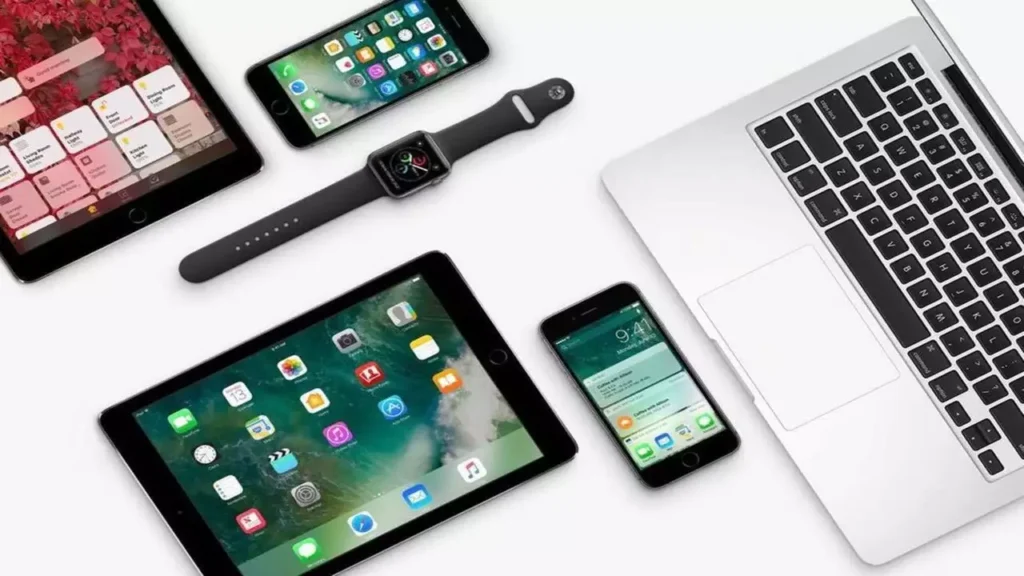
Apple products are known for their premium design, powerful performance, and long lifespan. However, even the best devices require proper care to stay fast, reliable, and efficient over time. If you want your iPhone, iPad, MacBook, or Apple Watch to perform smoothly for years, learning the right maintenance habits is essential. That’s why understanding the top tips to maintain Apple products for long-lasting performance can save you money, prevent data loss, and reduce unexpected repairs.
Although Apple devices are built to last, daily usage, software updates, and environmental factors can slowly impact performance. Therefore, proactive maintenance plays a critical role. Most importantly, small steps taken today can prevent major problems tomorrow. In this guide, we’ll explore practical, expert-approved ways to maintain Apple products for long-lasting performance from software care to hardware protection and professional servicing.
Why Proper Maintain Apple products for long-lasting performance Matters
First of all, Apple devices rely on tightly integrated hardware and software. When one element is neglected, overall performance can suffer. For example, outdated apps can slow down iOS, while dust buildup can cause MacBooks to overheat.
Moreover, proper maintenance helps:
- Extend battery lifespan
- Improve speed and responsiveness
- Prevent sudden failures
- Protect valuable data
- Reduce long-term repair costs
Therefore, following the top tips to maintain Apple products for long-lasting performance is not optional it’s essential.
Keep Software Updated for Maintain Apple products for long-lasting performance
Why iOS, iPadOS, and macOS Updates Matter
Apple regularly releases updates to fix bugs, improve security, and optimize performance. As a result, keeping your device updated helps maintain stability and efficiency.
However, before updating:
- Back up your data
- Ensure enough storage space
- Use a stable Wi-Fi connection
This way, you avoid update failures that can slow your device or cause boot issues.
Update Apps Regularly for Maintain Apple products for long-lasting performance
In addition, outdated apps can cause crashes, battery drain, and compatibility problems. Therefore, keeping apps updated ensures smoother performance and better system integration.
Optimize Storage for Faster Performance
Why Free Storage Is Critical
Apple devices slow down significantly when storage is nearly full. That’s because the system needs free space for caching and background processes.
To maintain Apple products for long-lasting performance:
- Delete unused apps
- Remove old photos and videos
- Clear Safari and app cache
- Use iCloud wisely
As a result, your device runs faster and more efficiently.
Protect Battery Health for Long-Term Use
Smart Charging Habits for Maintain Apple products for long-lasting performance
Battery health directly affects performance. Over time, poor charging habits cause faster battery degradation.
To extend battery life:
- Avoid charging to 100% constantly
- Don’t let battery drop to 0% often
- Use original or certified chargers
- Enable Optimized Battery Charging
Consequently, your iPhone or iPad retains strong battery performance for years.
Reduce Battery Drain for Maintain Apple products for long-lasting performance
Additionally, you should:
- Lower screen brightness
- Disable background app refresh
- Turn off unused Bluetooth and Wi-Fi
- Enable Low Power Mode when needed
These steps significantly help maintain Apple products for long-lasting performance.
Clean Your Apple Devices Safely and Regularly
Why Cleaning Matters
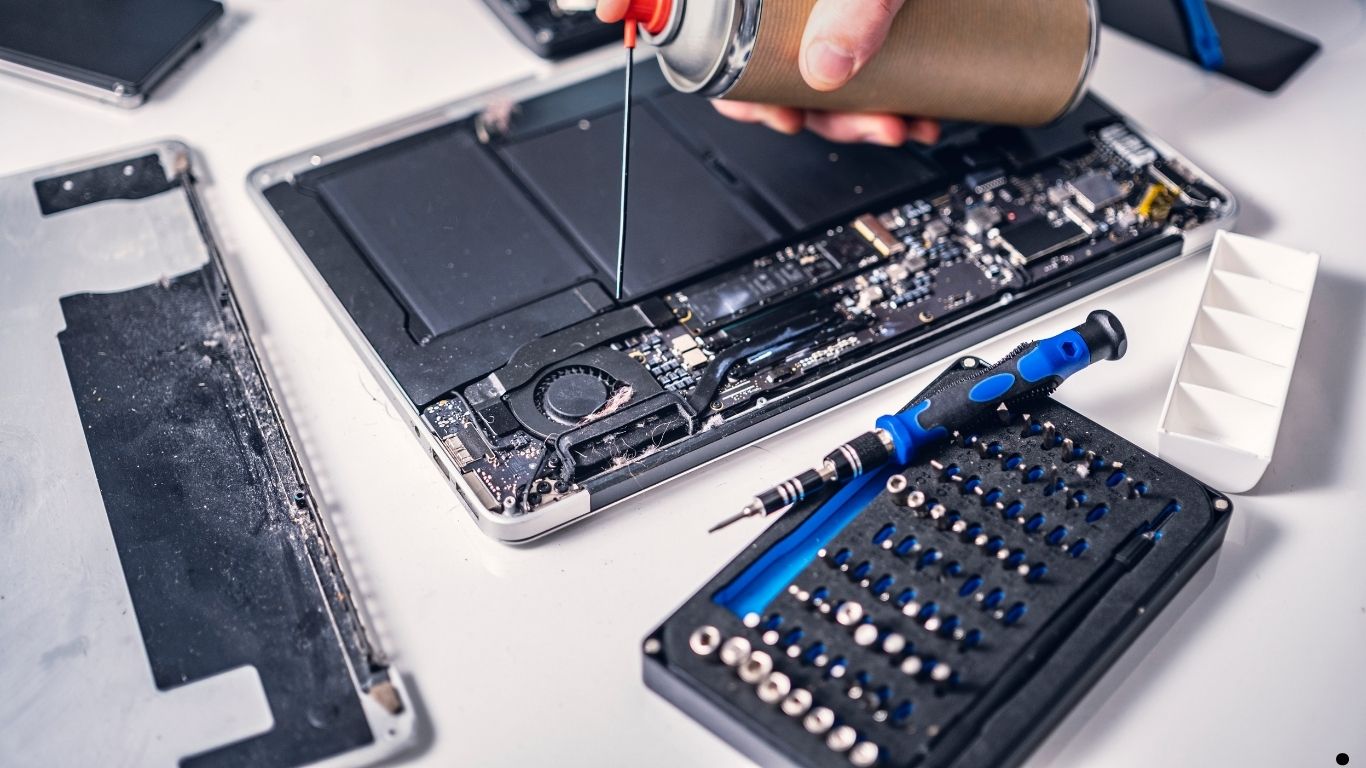
Dust, dirt, and debris affect cooling, ports, speakers, and keyboards. Over time, this leads to overheating and hardware damage.
Safe Cleaning Tips for Maintain Apple products for long-lasting performance
To clean safely:
- Use microfiber cloths
- Use compressed air for ports and keyboards
- Avoid liquid sprays directly on devices
- Never use harsh chemicals
As a result, your Apple devices stay clean, cool, and responsive.
Prevent Overheating and Physical Damage
Avoid Heat Exposure
Heat is one of the biggest enemies of electronics. Therefore:
- Don’t leave devices in cars
- Avoid heavy use while charging
- Use laptops on flat, hard surfaces
This prevents thermal stress and internal damage.
Use Protective Accessories
Moreover, cases, screen protectors, and keyboard covers add an extra layer of protection against drops, spills, and dust helping maintain Apple products for long-lasting uses.
Manage Background Processes and Settings
Reduce System Load
Many performance issues come from unnecessary background processes. Hence:
- Turn off unused startup apps (Mac)
- Disable unnecessary notifications
- Review privacy and background permissions
As a result, your Apple device becomes faster and more stable.
Back Up Data Regularly
Why Backups Are Essential
Data loss can happen due to hardware failure, update errors, or accidental damage. Therefore, regular backups are critical.
Use:
- iCloud backups
- Time Machine for MacBooks
- External storage for important files
This ensures peace of mind and quick recovery when problems occur.
Maintain Apple Products with Professional Care
When DIY Isn’t Enough
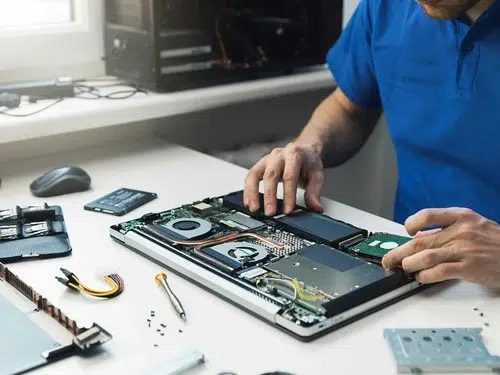
Although home maintenance helps, professional servicing is sometimes necessary especially for:
- Battery replacement
- Overheating issues
- Water damage
- Charging or logic board problems
At this stage, expert intervention prevents permanent damage.
Milaaj Mobile Repair Section
For users in Dubai, Milaaj mobile and laptop repair Dubai provides reliable and professional Apple device maintenance and repair services. Their technicians specialize in Apple products and focus on:
- Low-price repairs without hidden costs
- Fast servicing to minimize downtime
- High-quality parts for long-lasting results
- Convenient walk-in support
- Advanced diagnostics and tools
As a result, your Apple devices receive expert care that restores performance and extends lifespan—without compromising quality.
Avoid Common Mistakes That Reduce Device Lifespan
To maintain Apple products for long-lasting uses, avoid:
- Using cheap chargers or cables
- Ignoring overheating warnings
- Skipping updates for too long
- Attempting risky DIY repairs
- Exposing devices to moisture
Instead, proactive care ensures reliability and durability.
Create Healthy Usage Habits for Maintain Apple products for long-lasting performance
Daily Best Practices
Small habits make a big difference:
- Restart devices weekly
- Close unused apps
- Keep devices clean
- Monitor battery health
- Schedule professional checkups
Over time, these habits significantly improve performance and longevity.
FAQs About Maintain Apple products for long-lasting performance
1. Why is regular maintenance important for Apple products?
Regular maintenance improves performance, extends battery life, prevents overheating, and reduces long-term repair costs.
2. How often should I update my Apple devices?
You should update iOS, iPadOS, and macOS whenever stable updates are released to ensure security and performance improvements.
3. What are the best habits to maintain Apple products for long-lasting performance?
Keep storage optimized, avoid overheating, use certified chargers, clean devices regularly, and back up data frequently.
4. Can professional repair improve Apple device performance?
Yes. Professional servicing restores battery health, fixes internal issues, and ensures high-quality part replacements.
5. How do I know when my Apple device needs professional maintenance?
Signs include rapid battery drain, overheating, slow performance, charging problems, or unexpected shutdowns.
Final Thoughts: Maintain Apple products for long-lasting performance
In conclusion, following the top tips to maintain Apple products for long-lasting performance ensures your devices stay fast, secure, and dependable. From software updates and battery care to cleaning, storage management, and professional servicing, every step matters.
Although Apple devices are built to last, consistent maintenance is what truly extends their lifespan. Most importantly, addressing small issues early prevents costly repairs later. With smart habits and expert support when needed, your Apple products can deliver peak performance for years to come.
Get professional iPhone repair services with expert technicians ensuring top-quality results.
Back in your hands faster: Enjoy rapid, reliable doorstep delivery for every device we service or sell.
Sell your old iPhone with confidence and get the best value instantly.
📍 Visit Any Milaaj Branch in Dubai
🔹 Bur Dubai
Milaaj Mobile and Laptop Repair Dubai
📞 055 258 8477
🔗 Google Maps
🔹 Al Barsha
Milaaj Mobiles and Laptop Repair Al Barsha
📞 052 596 2846
🔗 Google Maps
🔹 Al Barsha 3
Milaaj Service Center Reef Mall
📞 052 3405 814
🔗 Google Maps
🔹 Al Nuaimiya
Milaaj Mobiles and Laptops Ajman
📞 055 788 9654
🔗 Google Maps
📧 Email: support@milaaj.com
🕒 Operating Hours: Monday – Sunday

Leave a Reply