
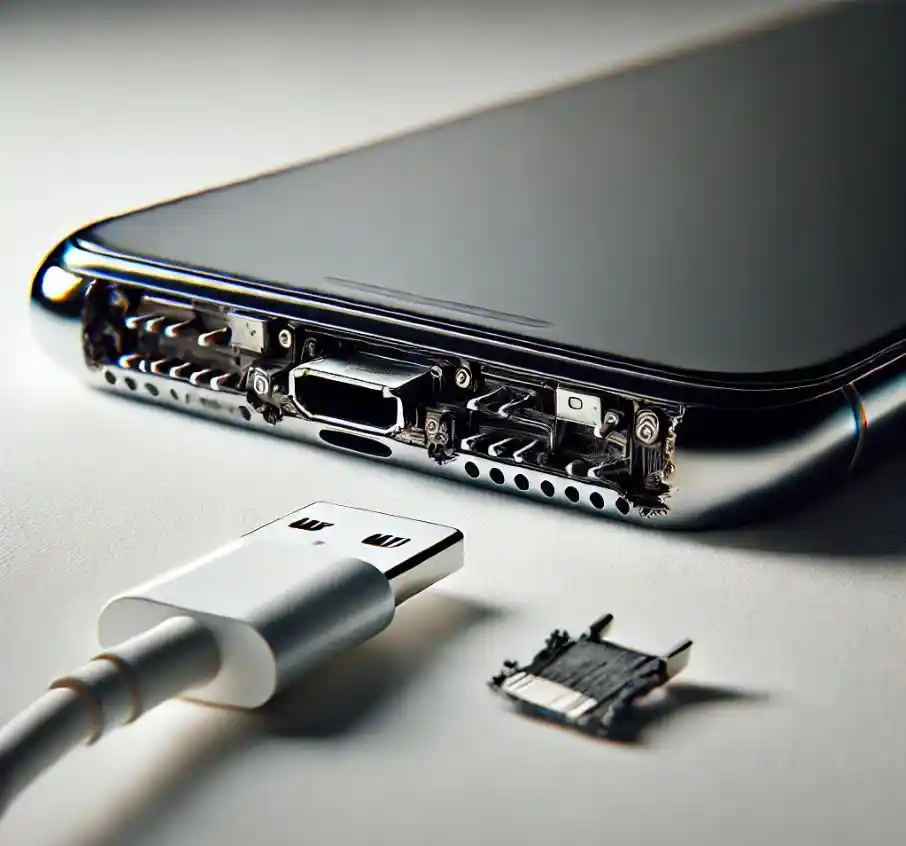
A damaged charging port is one of the most common reasons phones stop charging properly. However, many users don’t realize that everyday habits can slowly ruin the charging port without obvious warning signs. Mistakes that damage phone charging ports often happen unintentionally, yet they can lead to expensive repairs or even complete device failure.
Therefore, understanding what causes charging port damage is essential for protecting your smartphone and extending its lifespan. In this guide, we’ll explore the most common mistakes, how to prevent them, and when professional phone repair becomes the smartest option.
Common Mistakes That Damage Phone Charging Ports
Many charging issues don’t happen overnight. Instead, they develop gradually due to repeated misuse. Let’s take a closer look at the most damaging habits.
Using Low-Quality or Incompatible Chargers
One of the biggest mistakes that damage phone charging ports is using cheap or incompatible charging cables. Although they may seem cost-effective, poor-quality chargers often have loose connectors or unstable voltage output.
As a result, they can:
- Cause internal pin damage
- Lead to overheating
- Create inconsistent power flow
Moreover, uncertified chargers may physically strain the charging port, loosening it over time.
Forcing the Charging Cable Into the Port for Mistakes That Damage Phone Charging Ports
Another common error is forcing the charging cable in the wrong direction. This habit bends internal connectors and damages delicate pins.
Consequently, users may notice:
- Loose charging connection
- Charging only at certain angles
- Frequent disconnections
Over time, repeated force can completely break the charging port.
Everyday Habits That Harm Phone Charging Ports
Daily routines can be surprisingly harmful if you’re not careful.
Charging Your Phone While Using It Excessively
Although it’s tempting to use your phone while charging, this habit places constant pressure on the charging port. Movement causes the cable to wiggle, stressing internal joints.
Therefore, excessive usage while charging can:
- Loosen the port
- Break solder points
- Cause internal cable damage
This is one of the most overlooked mistakes that damage phone charging ports, yet it’s extremely common.
Pulling the Cable Instead of the Plug
Yanking the cable instead of holding the connector weakens both the wire and the port. Eventually, this leads to loose or broken internal pins.
Instead, always unplug gently by gripping the connector head.
Environmental Factors That Damage Charging Ports
Sometimes, damage happens due to exposure rather than direct misuse.
Dust, Lint, and Pocket Debris Buildup
Phones carried in pockets or bags collect lint and dust inside the charging port. Over time, this buildup blocks proper contact between the charger and the port.
As a result, users may experience:
- Slow charging
- Charging interruptions
- No charging at all
Ignoring debris is one of the silent mistakes that damage phone charging ports.
Exposure to Moisture and Humidity for Mistakes That Damage Phone Charging Ports
Water damage doesn’t always mean dropping your phone in water. High humidity, sweat, or light splashes can corrode charging port components.
Therefore, moisture exposure can:
- Cause rust on connectors
- Lead to short circuits
- Permanently damage charging pins
Even water-resistant phones are not fully immune.
Unsafe Cleaning Methods That Cause Charging Port Damage
Cleaning your charging port incorrectly can do more harm than good.
Using Sharp Objects to Clean the Port
Many users use pins, needles, or toothpicks to remove debris. However, this is one of the worst mistakes that damage phone charging ports.
Sharp tools can:
- Scratch internal pins
- Break connectors
- Push debris further inside
Instead, proper cleaning tools and techniques are essential.
Blowing Air Directly Into the Port for Mistakes That Damage Phone Charging Ports
Although blowing air seems harmless, moisture from your breath can worsen corrosion. Additionally, forceful air can push debris deeper into the port.
Charging Mistakes That Reduce Port Lifespan
Overcharging and Overnight Charging Habits
While modern phones manage battery levels better, constant overnight charging still generates heat. Heat expansion affects internal components, including the charging port.
Therefore, repeated overheating can weaken internal solder joints.
Using Your Phone in Unstable Charging Conditions
Charging your phone in a moving car, on a loose power bank, or with unstable power sources creates inconsistent power flow. This instability stresses the charging port and internal circuits.
Warning Signs of a Damaged Phone Charging Port
Recognizing early signs can prevent complete failure.
Common Symptoms Include:
- Phone charges only at specific angles
- Charger feels loose
- Charging is slow or inconsistent
- Phone doesn’t recognize the charger
If you notice these signs, stop using DIY methods immediately.
DIY Fixes vs Professional Charging Port Repair
When DIY Fixes Are Not Enough
While gentle cleaning may help in early stages, advanced damage requires professional tools. Continuing DIY attempts can worsen the problem.
Therefore, professional diagnosis is essential when:
- The port is physically loose
- Charging stops completely
- Water damage is suspected
Milaaj Mobile Repair: Trusted Charging Port Repair Experts
When charging issues become serious, Milaaj mobile and laptop repair Dubai provides reliable, professional solutions for damaged phone charging ports.
Why Choose Milaaj Mobile Repair?
- Low-price repair options without hidden costs
- Fast repair service, often completed the same day
- High-quality replacement parts for long-lasting performance
- Convenient location and service process
- Expert technicians with advanced tools
Moreover, professional repair ensures your device remains safe and fully functional.
How Professionals Restore Charging Ports Safely
Professional technicians follow a careful process:
- Detailed port inspection
- Safe debris removal
- Connector realignment or replacement
- Testing with certified chargers
As a result, your phone regains stable and secure charging without risking further damage.
How to Prevent Charging Port Damage in the Future
Best Practices to Follow for Mistakes That Damage Phone Charging Ports
- Always use certified chargers
- Avoid using your phone while charging
- Keep your charging port clean and dry
- Store your phone away from dust and moisture
- Unplug cables gently
By following these steps, you can avoid most mistakes that damage phone charging ports.
FAQs – Mistakes That Damage Phone Charging Ports
What is the most common mistake that damages phone charging ports?
Using low-quality chargers and forcing cables into the port are the most common causes of damage.
Can dust really stop my phone from charging?
Yes. Dust and lint buildup can block proper contact between the charger and internal connectors.
Is it safe to clean my phone charging port at home?
Only gentle cleaning with proper tools is safe. Sharp objects can cause serious damage.
How do I know if my charging port needs replacement?
If your phone charges only at certain angles or stops charging completely, professional inspection is recommended.
How long does charging port repair take?
In most cases, professional repair can be completed within a few hours.
Final Thoughts: Mistakes That Damage Phone Charging Ports
In conclusion, mistakes that damage phone charging ports often come from daily habits users don’t think twice about. However, avoiding these mistakes can save you time, money, and frustration.
When damage does occur, choosing professional repair ensures safety, reliability, and long-term performance. Protect your device today by adopting better charging habits and seeking expert help when needed.
Get professional iPhone repair services with expert technicians ensuring top-quality results.
Enjoy quick and reliable home delivery for your repaired or purchased devices.
Sell your old iPhone with confidence and get the best value instantly.
📍 Visit Any Milaaj Branch in Dubai
🔹 Bur Dubai
Milaaj Mobile and Laptop Repair Dubai
📞 055 258 8477
🔗 Google Maps
🔹 Al Barsha
Milaaj Mobiles and Laptop Repair Al Barsha
📞 052 596 2846
🔗 Google Maps
🔹 Al Barsha 3
Milaaj Service Center Reef Mall
📞 052 3405 814
🔗 Google Maps
🔹 Al Nuaimiya
Milaaj Mobiles and Laptops Ajman
📞 055 788 9654
🔗 Google Maps
📧 Email: support@milaaj.com
🕒 Operating Hours: Monday – Sunda




Leave a Reply