
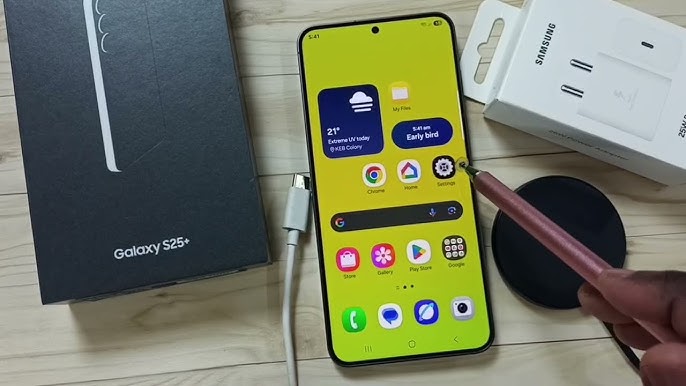
Samsung smartphones are known for innovation, performance, and reliability. However, many users face a common yet worrying issue: Samsung overheating while charging. When your phone becomes unusually hot during charging, it not only affects comfort but also raises concerns about battery health, device safety, and long-term performance.
Fortunately, Samsung overheating while charging is usually fixable. In most cases, the issue is linked to charging habits, software glitches, battery wear, or charging port problems. Therefore, understanding the real causes and choosing the right solutions can help you prevent permanent damage. In this detailed guide, we explain why Samsung phones overheat during charging, what mistakes to avoid, and how professional repair services restore safe charging efficiently.
Why Samsung Overheating While Charging Is a Serious Concern
First and foremost, excessive heat is one of the biggest enemies of smartphone batteries. When Samsung overheating occurs repeatedly, it can reduce battery lifespan, slow performance, and even cause sudden shutdowns. Moreover, overheating may trigger system warnings, disable fast charging, or stop charging completely.
Additionally, prolonged heat exposure can damage internal components such as the charging IC, motherboard, or battery connector. Therefore, addressing Samsung overheating while charging early is essential for both safety and device longevity.
Common Causes of Samsung Overheating While Charging
Although the issue may feel alarming, Samsung overheating usually stems from a few identifiable causes. Let’s explore them one by one.
Faulty or Non-Original Chargers and Cables
One of the most common reasons Samsung overheats during charging is using low-quality or incompatible chargers. Cheap adapters often deliver unstable voltage, which forces the phone to work harder and generate excess heat.
Moreover, damaged cables increase resistance, causing energy loss that converts into heat. As a result, Samsung overheating while charging becomes unavoidable.
Fast Charging Generating Excess Heat
Although fast charging is convenient, it naturally produces more heat. When combined with poor ventilation, heavy usage, or high room temperatures, fast charging can push the device beyond safe thermal limits.
Therefore, Samsung overheating is more noticeable when fast charging is enabled continuously.
Software Issues That Trigger Samsung Overheating While Charging
In many cases, the problem isn’t hardware at all. Instead, background software activity plays a major role.
Background Apps and System Bugs
Apps running in the background consume power while charging, forcing the battery to both charge and discharge simultaneously. Consequently, heat builds up quickly.
Additionally, system bugs after updates can cause abnormal CPU usage, leading to Samsung overheating while charging even when the phone is idle.
Outdated Software Versions
Samsung frequently releases updates to optimize battery management and thermal control. If your device runs outdated software, it may lack essential fixes, increasing overheating risks.
Battery Health and Samsung Overheating While Charging
Over time, lithium-ion batteries degrade. As batteries age, their internal resistance increases, causing them to heat up faster during charging.
Swollen or Degraded Batteries
A worn-out battery struggles to hold charge efficiently. Therefore, energy loss turns into heat, making Samsung overheating more frequent and severe.
In extreme cases, swollen batteries can pose safety hazards and must be replaced immediately.
Environmental Factors That Increase Charging Heat
Sometimes, the problem isn’t the phone itself but the environment.
- Charging under pillows or blankets traps heat
- Using the phone while charging increases CPU load
- High ambient temperatures worsen thermal buildup
As a result, Samsung overheating while charging becomes more noticeable under poor conditions.
Mistakes to Avoid When Samsung Overheats While Charging
Although many users attempt DIY fixes, some actions actually worsen the issue.
- Using random apps that promise “cooling”
- Continuing to charge despite overheating warnings
- Ignoring battery health alerts
- Cleaning charging ports with metal objects
Instead, safe troubleshooting and professional diagnostics are far more effective.
Step-by-Step Solutions to Fix Samsung Overheating While Charging
Now that we understand the causes, let’s explore practical solutions.
Switch to Original Samsung Charger
First and foremost, always use an original or certified charger. This ensures stable voltage and proper heat regulation.
Disable Fast Charging Temporarily
Although fast charging is useful, disabling it can significantly reduce heat. Therefore, switch to standard charging when overheating persists.
Close Background Apps and Restart Device
Restarting clears system glitches, while closing background apps reduces power draw. As a result, Samsung overheating often improves immediately.
Update Samsung Software Regularly
Keeping software up to date ensures optimized charging algorithms and improved thermal management.
When Samsung Overheating While Charging Needs Professional Repair
If overheating continues despite basic fixes, professional repair becomes essential.
Charging Port and IC Problems
Dust, corrosion, or loose connectors inside the charging port can cause power instability. Consequently, heat builds up during charging.
Battery Replacement Requirement
If battery health is poor, no software fix will help. In such cases, replacing the battery is the safest and most effective solution.
Why Choose Milaaj Mobile Repair for Samsung Overheating Issues
When dealing with Samsung overheating, professional expertise makes a huge difference. At Milaaj mobile and laptop repair Dubai, technicians diagnose the root cause accurately instead of relying on guesswork.
Benefits of Choosing Milaaj
- Low-cost repairs with transparent pricing
- Fast repairing to minimize downtime
- Convenient service for busy users
- High-quality replacement parts for durability
- Advanced diagnostic tools for accurate solutions
Moreover, professional handling ensures safety, prevents data loss, and delivers long-lasting results.
Preventing Samsung Overheating While Charging in the Future
Prevention is always better than repair. Therefore, follow these best practices:
- Avoid charging in hot environments
- Remove phone cases during charging
- Do not use heavy apps while charging
- Keep charging ports clean and dry
- Use certified accessories only
By following these habits, Samsung overheating while charging can be avoided effectively.
FAQs: Samsung Overheating While Charging
Why is my Samsung overheating while charging?
Samsung overheating usually occurs due to faulty chargers, fast charging heat, battery degradation, or software issues.
Is it dangerous if Samsung overheats while charging?
Yes. Prolonged overheating can damage the battery, charging IC, and internal components if not addressed early.
Can fast charging cause Samsung overheating?
Yes. Fast charging generates more heat, especially in warm environments or with poor ventilation.
Should I stop charging if my Samsung overheats?
Absolutely. Disconnect the charger immediately and allow the device to cool before further use.
Can battery replacement fix Samsung overheating while charging?
Yes. If battery health is poor, replacing the battery often resolves overheating completely.
How long does professional repair take?
Most Samsung overheating repairs are completed within a few hours, depending on the issue.
Final Thoughts on Samsung Overheating While Charging
In conclusion, Samsung overheating while charging is a common but manageable issue. Although it may feel alarming, most causes are identifiable and fixable with the right approach. Rather than ignoring warning signs or relying on unsafe DIY tricks, structured troubleshooting and expert repair provide reliable results.
Moreover, timely professional support ensures safety, extends battery life, and restores smooth charging performance. With proper care and expert assistance, your Samsung device can charge safely without overheating.
Get professional Mobile Phone repair services with expert technicians ensuring top-quality results.
Instead of trying random recovery apps, always rely on certified software or trusted repair centers like Milaaj for secure data restoration.
Enjoy quick and reliable home delivery for your repaired or purchased devices.
Sell your old Phone with confidence and get the best value instantly.
📍 Visit Any Milaaj Branch in Dubai
🔹 Bur Dubai
Milaaj Mobile and Laptop Repair Dubai
📞 055 258 8477
🔗 Google Maps
🔹 Al Barsha
Milaaj Mobiles and Laptop Repair Al Barsha
📞 052 596 2846
🔗 Google Maps
🔹 Al Barsha 3
Milaaj Mobiles and Gaming Store
📞 052 3405 814
🔗 Google Maps
🔹 Al Nuaimiya
Milaaj Mobiles and Laptops Ajman
📞 055 788 9654
🔗 Google Maps
📧 Email: support@milaaj.com
🕒 Operating Hours: Monday – Sunday


Leave a Reply