
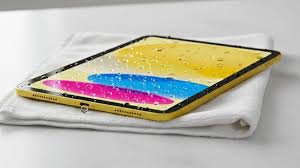
Water Damage Data Recovery iPad services become crucial the moment your device comes into contact with liquid. Dropping your iPad in a pool, spilling a morning latte over the screen, or discovering a water bottle leaked in your bag is a heart-stopping moment. For many people in Dubai, an iPad isn’t just an entertainment device; it’s a digital vault storing years of family photos, critical work documents, and creative projects. Therefore, when moisture reaches the internal circuitry, the clock starts ticking.
However, your immediate reaction plays a major role in whether your data can be recovered. While it may be tempting to try quick online “hacks,” these can often make things worse. Instead, seeking professional Water Damage Data Recovery iPad services offers the best chance of saving your files especially if you avoid common mistakes in those first crucial hours.
1. Don’t Turn It On: The Golden Rule of Liquid Damage
The absolute worst thing you can do when your iPad gets wet is to press that power button to “check if it still works.” If your iPad is already off, keep it off. If it’s on, power it down immediately.
When liquid enters the device, it creates new pathways for electricity to flow where it shouldn’t. By powering the device, you are essentially inviting a short circuit on the logic board. This can fry the NAND flash memory chips where your data lives, turning a repairable issue into a permanent data loss catastrophe.
Why Power is Your Enemy for Water Damage Data Recovery iPad
Water itself isn’t what kills the iPad; it’s the minerals and impurities in the water that conduct electricity. Even a tiny droplet bridging two pins on a high-voltage rail can cause an electrical arc that melts micro-components. Consequently, keeping the device dead-quiet is the best way to preserve the data storage.
2. Don’t Reach for the Rice: Debunking the Myth
The “bag of rice” trick is perhaps the most persistent myth in tech history. While rice is a desiccant, it is a very poor one for modern, sealed electronics like the iPad.
Submerging your iPad in rice creates more problems than it solves. Rice introduces fine starch dust into the charging port and headphone jack. When this dust meets moisture, it turns into a thick, corrosive paste that accelerates motherboard damage. Furthermore, rice does nothing to pull moisture out from deep beneath the EMI shields of the logic board.
What to Use Instead for Water Damage Data Recovery iPad
If you must use a home desiccant, silica gel packets (the “do not eat” packets found in shoe boxes) are far more effective and cleaner. However, even these cannot replace a professional ultrasonic cleaning.
3. Don’t Use a Hairdryer or Heat Sources
It seems logical to try and evaporate the water using heat, but a hairdryer can be lethal to an iPad. High heat can warp the delicate adhesive that keeps the screen attached or, worse, melt internal plastic components.
Additionally, the forceful airflow of a hairdryer doesn’t “blow the water out”; instead, it often pushes surface moisture deeper into the internal layers of the Liquid Retina display or the logic board. Instead of evaporating, the water just relocates to areas where it can do more damage, such as the camera sensors or the Face ID module.
4. Don’t Charge Your Wet iPad
Connecting your iPad to a Lightning or USB-C cable while it contains moisture is essentially a death sentence for the device. The charging port is the easiest entry point for liquid. When you plug in a charger, you are introducing a high current into a potentially wet circuit.
This often leads to the “smell of ozone” or visible smoke as the charging IC (integrated circuit) burns out. If the charging circuit is destroyed, a technician must perform complex micro-soldering just to get the device to power up enough for a data dump.
5. Don’t Shake the Device Vigorously
It is a natural reaction to want to “shake the water out.” However, iPads are built with various internal compartments. Shaking the device can cause water trapped in the speakers to splash onto the logic board or seep behind the backlight layers of the screen, causing permanent “water marks” or staining on the display.
The Correct Way to Dry the Exterior for Water Damage Data Recovery iPad
- Wipe: Use a lint-free microfiber cloth to gently pat the exterior dry.
- Tilt: Prop the iPad up vertically with the charging port facing downward on a paper towel. Let gravity do the work without forced movement.
Professional Water Damage Data Recovery Process
When the stakes are high, professional intervention is the only reliable path. Here is how experts handle Water Damage Data Recovery iPad cases to ensure a high success rate.
Step 1: Professional Disassembly
Technicians carefully open the iPad a difficult task due to the strong adhesive to access the internal components. This allows them to disconnect the battery, which is the most important step in stopping ongoing corrosion.
Step 2: Ultrasonic Cleaning for Water Damage Data Recovery iPad
The logic board is placed in an ultrasonic cleaner filled with a specialized chemical solution. High-frequency sound waves create microscopic bubbles that “implode” against the board, scrubbing away minerals, salts, and corrosion from beneath chips that are too small for a human eye to see.
Step 3: Micro-Soldering and Data Extraction
If the board is still non-functional after cleaning, technicians use a microscope to identify and replace “popped” capacitors or shorted resistors. Once the board can “handshake” with a computer for even a few minutes, the data is immediately mirrored to a secure server.
Milaaj Mobile and Laptop Repair Dubai: Your Tech Lifeboat
When your iPad takes an unexpected swim, you need a local partner who understands the urgency. Milaaj mobile and laptop repair Dubai is equipped with the advanced diagnostic tools needed to tackle the most stubborn liquid damage cases. We prioritize your privacy and the integrity of your files above all else.
Why Choose Milaaj for iPad Recovery?
- Low Price & Transparent Quotes: We provide a clear evaluation before we start. You’ll know exactly what the recovery will cost with no hidden fees.
- Speed Repairing: Time is critical for water damage. We offer express diagnostics to stop corrosion in its tracks as soon as you drop off your device.
- Ultimate Convenience: Located in the heart of Al Barsha, we offer free pickup and delivery across Dubai. If you’ve had a spill, call us, and we’ll collect the device from your home or office immediately.
- Part Quality: If your iPad needs a new battery or screen to function for the data recovery, we use only premium, original-grade components to ensure a stable connection during the extraction process.
- High Success Rate: Our technicians are experts in L4 logic board repairs, meaning we can often recover data from iPads that other shops have deemed “unfixable.”
FAQs About Water Damage Data Recovery iPad
1. Is my data gone if the iPad won’t turn on?
Not at all. Even if the iPad is “dead,” the data is usually stored on a NAND chip that is quite resilient. As long as that specific chip hasn’t been physically cracked or electrically fried, a professional can usually extract the data.
2. How long does the data recovery process take?
Liquid damage cases are complex. Usually, it takes 3 to 5 business days to properly clean the board, perform necessary micro-soldering, and extract the data.
3. Can I use the iPad again after it has been water damaged?
While data recovery is often successful, we generally recommend using the iPad only for backup purposes after severe liquid damage. Corrosion is like “tech cancer” it can return weeks later even after a thorough cleaning.
4. What if I spilled something other than water (like soda or salt water)?
Soda and salt water are much more aggressive. Sugar creates a sticky residue that traps heat, and salt water causes immediate, rapid oxidation. If your iPad hit salt water, it needs professional attention within 2 to 4 hours for the best results.
5. Does Apple cover water damage under warranty?
Standard Apple warranties do not cover liquid damage. If you have AppleCare+, they may replace the device for a fee, but they do not provide data recovery services. For your files, you must go to a specialist.
Summary: Water Damage Data Recovery iPad
Water damage is a race against time and chemistry. By avoiding the “rice trap,” keeping the power off, and skipping the hairdryer, you significantly increase the chances of a successful Water Damage Data Recovery iPad mission. Every hour the liquid sits inside the device, the minerals are eating away at the copper traces of your motherboard.
Trust the experts who have the right tools for the job. Your photos, work, and memories are too valuable to risk on a “DIY” fix.
Has your iPad been exposed to liquid? Don’t wait! Contact Milaaj mobile and laptop repair Dubai today for an urgent pickup and professional data recovery evaluation!
Get professional iPad repair services with expert technicians ensuring top-quality results.
Instead of trying random recovery apps, always rely on certified software or trusted repair centers like Milaaj for secure data restoration.
Back in your hands faster: Enjoy rapid, reliable doorstep delivery for every device we service or sell.
Sell your old iPhone with confidence and get the best value instantly.
📍 Visit Any Milaaj Branch in Dubai
🔹 Bur Dubai
Milaaj Mobile and Laptop Repair Dubai
📞 055 258 8477
🔗 Google Maps
🔹 Al Barsha
Milaaj Mobiles and Laptop Repair Al Barsha
📞 052 596 2846
🔗 Google Maps
🔹 Al Barsha 3
Milaaj Mobiles and Gaming Store
📞 052 3405 814
🔗 Google Maps
🔹 Al Nuaimiya
Milaaj Mobiles and Laptops Ajman
📞 055 788 9654
🔗 Google Maps
📧 Email: support@milaaj.com
🕒 Operating Hours: Monday – Sunday




Leave a Reply