
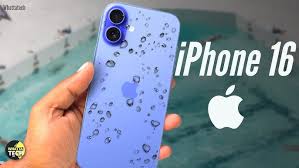
Imagine you are enjoying a relaxing afternoon at a beach club in Jumeirah or sitting poolside at a rooftop lounge in Downtown Dubai. You reach for your iPhone 16 to capture a stunning sunset, and suddenly splash! Your heart sinks as your premium device takes an unexpected dip. In a city where water-front living and luxury pools are everywhere, understanding the water resistance ratings for iPhone 16 is more than just technical trivia; it is essential for protecting your investment.
Many users confuse “waterproof” with “water-resistant.” While the iPhone 16 is a marvel of engineering, it isn’t an invincible submarine. This guide will dive deep into the IP ratings, what they actually mean for your daily life in the UAE, and how to handle your device if it gets a bit too friendly with the water.
What Does the IP68 Rating Actually Mean?
The iPhone 16 carries an IP68 rating under IEC standard 60529. But what do those numbers signify? The first digit, ‘6’, represents the highest level of dust protection, ensuring that no harmful grit or “Dubai sand” can enter the internal chassis. The second digit, ‘8’, indicates that the device can survive submersion in water.
Depth and Duration Limits for Water resistance ratings for iPhone 16
According to Apple’s official specifications, the water resistance ratings for iPhone 16 allow it to withstand a maximum depth of 6 meters for up to 30 minutes. This is impressive, but it is important to remember that these tests are conducted in controlled laboratory environments using “still” fresh water. Real-world conditions, like a crashing wave or a pressurized pool jet, can create much higher force that might overwhelm the internal seals.
The Role of Internal Seals and Gaskets
To achieve this rating, the iPhone 16 utilizes specialized adhesive gaskets around the display, the USB-C charging port, and the SIM tray. There are also microscopic mesh covers over the speakers and microphones that allow sound through while keeping water molecules out. However, these seals are not permanent.
Why Water Resistance Fades Over Time
One of the most common misconceptions is that the water resistance of your phone is a lifetime guarantee. In reality, it is a temporary shield. Several factors in the UAE environment can degrade these protective barriers.
1. Heat and Humidity for Water resistance ratings for iPhone 16
Dubai’s intense summer heat can actually dry out the chemical adhesives and rubber gaskets inside your phone. When these seals become brittle, they lose their ability to create an airtight lock, making the water resistance ratings for iPhone 16 less effective as the device ages.
2. Saltwater and Chlorine for Water resistance ratings for iPhone 16
The IP68 rating is specifically for fresh water. If your iPhone 16 falls into the Arabian Gulf, the salt can corrode the metal components and eat away at the seals much faster. Similarly, the chlorine in swimming pools can chemically degrade the gaskets over time.
3. Physical Impact for Water resistance ratings for iPhone 16
Even a minor drop that doesn’t crack the screen can slightly misalign the frame or weaken the internal adhesive bond. If your phone has ever been dropped, you should treat it as if it has lost a significant portion of its water resistance.
Emergency Steps: What to Do If Your iPhone 16 Gets Wet
If your device takes a plunge, how you react in the first ten minutes determines whether the phone survives or becomes a very expensive paperweight.
- Power Down Immediately: If the phone is still on, turn it off to prevent electrical shorts on the motherboard.
- Rinse with Fresh Water: If it was submerged in salt water or a pool, give it a very quick rinse with tap water to remove corrosive chemicals.
- Dry the Exterior: Use a lint-free microfiber cloth to pat the device dry. Do not use a hairdryer, as the heat can melt internal seals and push water deeper into the device.
- Tap Out the Port: Hold the iPhone with the USB-C port facing down and gently tap it against your hand to remove excess liquid.
- Air Dry Only: Leave the phone in a dry area with some airflow. Never use rice; the dust and starch can actually damage the internal ports and speakers.
Milaaj Mobile and Laptop Repair Dubai: Your Liquid Damage Experts
Despite the high water resistance ratings for iPhone 16, accidents still happen, and seals eventually fail. When they do, you need a professional team that specializes in high-end Apple hardware. Milaaj mobile and laptop repair Dubai is the region’s premier destination for reviving water-damaged devices.
Why Trust Milaaj with Your iPhone 16?
- Speed Repairing & Diagnostics: Liquid damage waits for no one. We offer rapid diagnostics to stop corrosion in its tracks, often saving devices that others deem “unfixable”.
- Low Price Guarantee: We believe in fair, transparent pricing. We provide a low price for professional liquid cleaning and stabilization without the “mall-shop” markup.
- Unmatched Convenience: Located in the heart of the city, we offer iPhone pickup and delivery across Dubai. We’ll collect your wet phone and return it fixed while you stay dry.
- Superior Part Quality: If a component needs replacement, we use only Original-grade (OEM) parts. Most importantly, we professionally reseal your iPhone 16 with factory-standard adhesives to restore its resistance as much as possible.
- Expert Micro-Soldering: If water has reached the logic board, our technicians can perform delicate micro-soldering to repair specific circuits rather than replacing the entire expensive board.
FAQs: Water resistance ratings for iPhone 16
1. Does Apple’s warranty cover water damage?
No. Despite the water resistance ratings for iPhone 16, Apple’s standard warranty does not cover liquid damage. Every iPhone has Liquid Contact Indicators (LCIs) inside that turn red when they touch water, making it easy for technicians to see if moisture entered the device.
2. Can I go swimming with my iPhone 16?
We strongly advise against it. The IP68 rating is for accidental submersions. Taking your phone swimming subjects it to constant movement and pressure, which can easily force water past the seals.
3. What if my speakers sound muffled after it gets wet?
This is normal as water is likely trapped in the speaker mesh. Let it dry naturally. Do not stick anything into the speaker holes to “clean” them, as you will puncture the water-resistant membrane.
4. Can I charge my iPhone if the “Liquid Detected” warning appears?
Absolutely not. Charging a wet port can cause permanent electrical damage to the charging IC. Wait until the warning disappears, which usually takes several hours.
5. How often should I check my phone’s seals?
If you frequently expose your phone to harsh environments, it is a good idea to have a professional lab like Milaaj check the integrity of your seals once a year, especially before the summer season.
Summary: Water resistance ratings for iPhone 16
Understanding the water resistance ratings for iPhone 16 helps you use your device with confidence while respecting its limits. An IP68 rating is a fantastic safety net for the occasional spill or rain shower, but it is not a license to treat your phone like a GoPro.
By practicing good “water hygiene” avoiding steam, rinsing off salt, and never charging while wet you can ensure your iPhone 16 remains functional for years. And if a splash does turn into a crash, remember that professional help is just a call away.
Did your iPhone 16 take an unexpected swim? Don’t wait for corrosion to set in! Contact Milaaj today for an expert liquid damage diagnostic and professional restoration service!
Get professional iPhone repair services with expert technicians ensuring top-quality results.
Back in your hands faster: Enjoy rapid, reliable doorstep delivery for every device we service or sell.
Sell your old iPhone with confidence and get the best value instantly.
📍 Visit Any Milaaj Branch in Dubai
🔹 Bur Dubai
Milaaj Mobile and Laptop Repair Dubai
📞 055 258 8477
🔗 Google Maps
🔹 Al Barsha
Milaaj Mobiles and Laptop Repair Al Barsha
📞 052 596 2846
🔗 Google Maps
🔹 Al Barsha 3
Milaaj Service Center Reef Mall
📞 052 3405 814
🔗 Google Maps
🔹 Al Nuaimiya
Milaaj Mobiles and Laptops Ajman
📞 055 788 9654
🔗 Google Maps
📧 Email: support@milaaj.com
🕒 Operating Hours: Monday – Sunday




Leave a Reply