
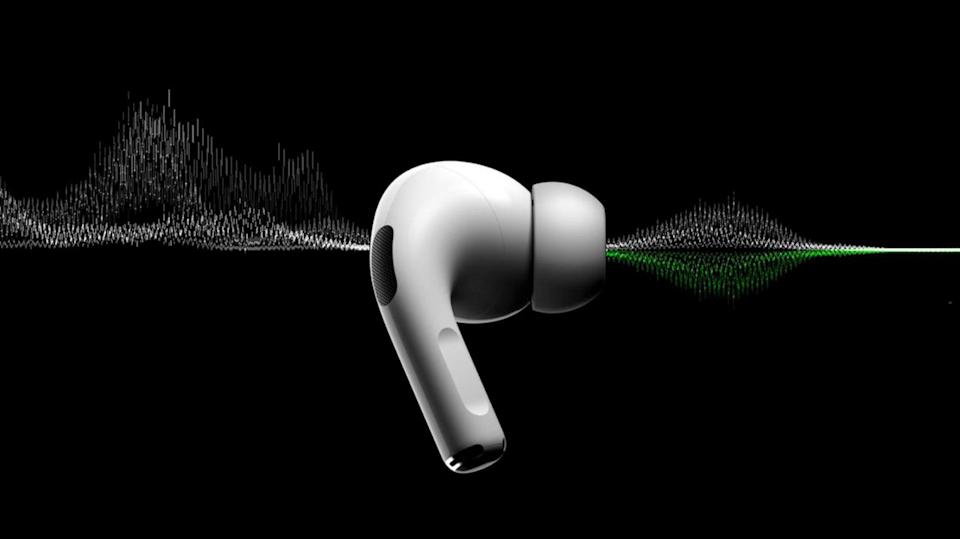
Apple AirPods are designed for smooth, high-quality audio and effortless connectivity. However, many users often experience issues where the Apple AirPods sound keeps cutting out, interrupting music, calls, or podcasts. Fortunately, this problem is common and can be resolved with a few simple fixes. In this detailed guide, you’ll learn why your AirPods experience audio drops and how to restore their performance effectively.
Understanding Why Apple AirPods Sound Cutting Out Happens
Before you can fix the issue, it’s important to understand why Apple AirPods sound cutting out occurs. Typically, the problem results from connectivity glitches, interference, outdated firmware, or even physical obstructions. When Bluetooth connections weaken or your AirPods experience pairing conflicts, it can cause momentary sound drops or complete disconnection.
Moreover, if your AirPods are running on low battery or have accumulated dirt on the speaker mesh, it can also lead to sound interruptions. Thankfully, you don’t have to worry — there are several practical ways to fix this.
Check Bluetooth Interference and Distance
One of the most common reasons your Apple AirPods sound cutting out is Bluetooth interference. Bluetooth connections can weaken if there are too many wireless devices nearby or if your AirPods are too far from your device. To fix this:
- Keep your iPhone or connected device close to the AirPods.
- Turn off unnecessary Bluetooth devices around you.
- Move away from Wi-Fi routers, microwaves, or other strong wireless signals.
As a result, the connection will stabilize, and you’ll notice a significant reduction in sound dropouts.
Ensure Your AirPods Are Fully Charged
Another reason why Apple AirPods sound cutting out could be low battery levels. When your AirPods or the charging case runs out of power, they fail to maintain a stable Bluetooth connection.
To prevent this issue:
- Always keep your AirPods charged above 20%.
- Regularly clean the charging connectors to avoid poor contact.
- Place both earbuds properly in the charging case when not in use.
This small habit ensures consistent power flow and prevents connectivity issues during long usage sessions.
Clean the AirPods and Charging Case Properly
Dust, earwax, and debris are often overlooked causes of Apple AirPods sound cutting out. These particles block the speaker mesh or interfere with the charging sensors.
Follow these steps to clean your AirPods safely:
- Use a soft, lint-free cloth for wiping.
- Avoid using water directly; instead, slightly dampen the cloth if necessary.
- Use a dry cotton swab to remove dust from the speaker grill and microphone openings.
- Gently clean the charging pins in the case.
With regular cleaning, your AirPods’ sound quality and connection reliability will remain consistent.
Update Firmware and iOS Regularly
Software updates can fix hidden bugs that cause Apple AirPods sound cutting out issues. Apple frequently releases updates to improve performance and connectivity.
To update:
- Connect your AirPods to your iPhone.
- Keep them in the charging case and plug in the charger.
- Ensure your iPhone has the latest iOS version.
The update will automatically install when your AirPods are close to your iPhone, helping maintain a stable audio experience.
Reset and Reconnect Your AirPods
If you’ve tried all previous steps and your Apple AirPods sound cutting out problem persists, resetting is the next step. A reset removes all previous connection errors and gives your AirPods a fresh start.
Here’s how:
- Place both AirPods in their charging case.
- Press and hold the setup button on the back until the LED flashes amber, then white.
- Reconnect them through your device’s Bluetooth settings.
After reconnecting, you’ll likely notice smoother and more reliable sound performance.
Disable Automatic Ear Detection
Sometimes, the Apple AirPods sound cutting out issue happens because of faulty automatic ear detection. The sensors might wrongly assume the AirPods are out of your ears.
To fix this:
- Go to Settings > Bluetooth > AirPods > Automatic Ear Detection.
- Toggle off the setting.
This keeps the audio continuous even if your AirPods slightly move in your ears.
Check for App-Specific Issues
If your Apple AirPods sound cutting out only occurs while using certain apps like Spotify, Zoom, or YouTube, the problem may lie within the app itself.
Try these fixes:
- Update the app to the latest version.
- Clear the app cache or reinstall it.
- Test your AirPods on another app to confirm.
By isolating the issue, you’ll know whether it’s your AirPods or a specific application causing interruptions.
Use One AirPod at a Time- Apple AirPods Sound Cutting Out
If you often use AirPods in areas with strong interference or weak connectivity, try using one earbud at a time. This method can help reduce strain on Bluetooth signals and minimize the Apple AirPods sound cutting out issue.
Avoid Overheating During Use -Apple AirPods Sound Cutting Out
Continuous use in hot environments can cause your AirPods to overheat, affecting Bluetooth transmission and battery performance. Therefore, always store your AirPods in a cool, dry place and avoid keeping them under direct sunlight for long periods.
Contact a Professional Repair Service
If none of the above solutions fix the Apple AirPods voice cutting out issue, it might indicate internal hardware problems like a faulty Bluetooth chip or damaged battery.
In such cases, professional assistance is essential. Milaaj offers expert AirPods diagnostics and repairs, ensuring your device functions like new again. Their technicians handle all types of AirPods problems, from sound dropouts to complete connection failures.
Preventive Tips to Avoid Apple AirPods Sound Cutting Out in the Future
Now that you’ve fixed your AirPods, here are a few preventive measures to ensure the Apple AirPods voice cutting out issue doesn’t return:
- Always keep your AirPods updated.
- Clean them weekly.
- Avoid pairing them with too many devices simultaneously.
- Store them properly in their case.
- Charge them regularly and avoid using them at very low battery levels.
Following these habits will help maintain audio quality and connection strength for a long time.
Apple AirPods Sound Cutting Out
Experiencing Apple AirPods sound cutting out can be frustrating, especially when you’re enjoying music or attending calls. However, with the right troubleshooting steps — from checking Bluetooth connections and cleaning to resetting or updating firmware — you can fix the problem quickly. If your AirPods still malfunction after these steps, professional help from trusted services like Milaaj Mobile and Laptop Repair Dubai can restore their optimal performance.
By maintaining your AirPods carefully and staying proactive about updates and cleanliness, you’ll ensure consistent, high-quality sound for years to come.
📍 Visit Any Milaaj Branch in Dubai
🔹 Bur Dubai
Milaaj Mobile and Laptop Repair Dubai
📞 055 258 8477
🔗 Google Maps
🔹 Al Barsha
Milaaj Mobiles and Laptop Repair Al Barsha
📞 052 596 2846
🔗 Google Maps
🔹 Reef Mall (Salah Al Din)
Milaaj Service Center Reef Mall
📞 052 3405 814
📍 1st Floor, Shop 16, Deira
🔗 Google Maps
🔹 Al Nuaimiya
Milaaj Mobiles and Laptops Ajman
📞 055 788 9654
🔗 Google Maps
📧 Email: support@milaaj.com
🕒 Operating Hours: Monday – Sunday




Leave a Reply