
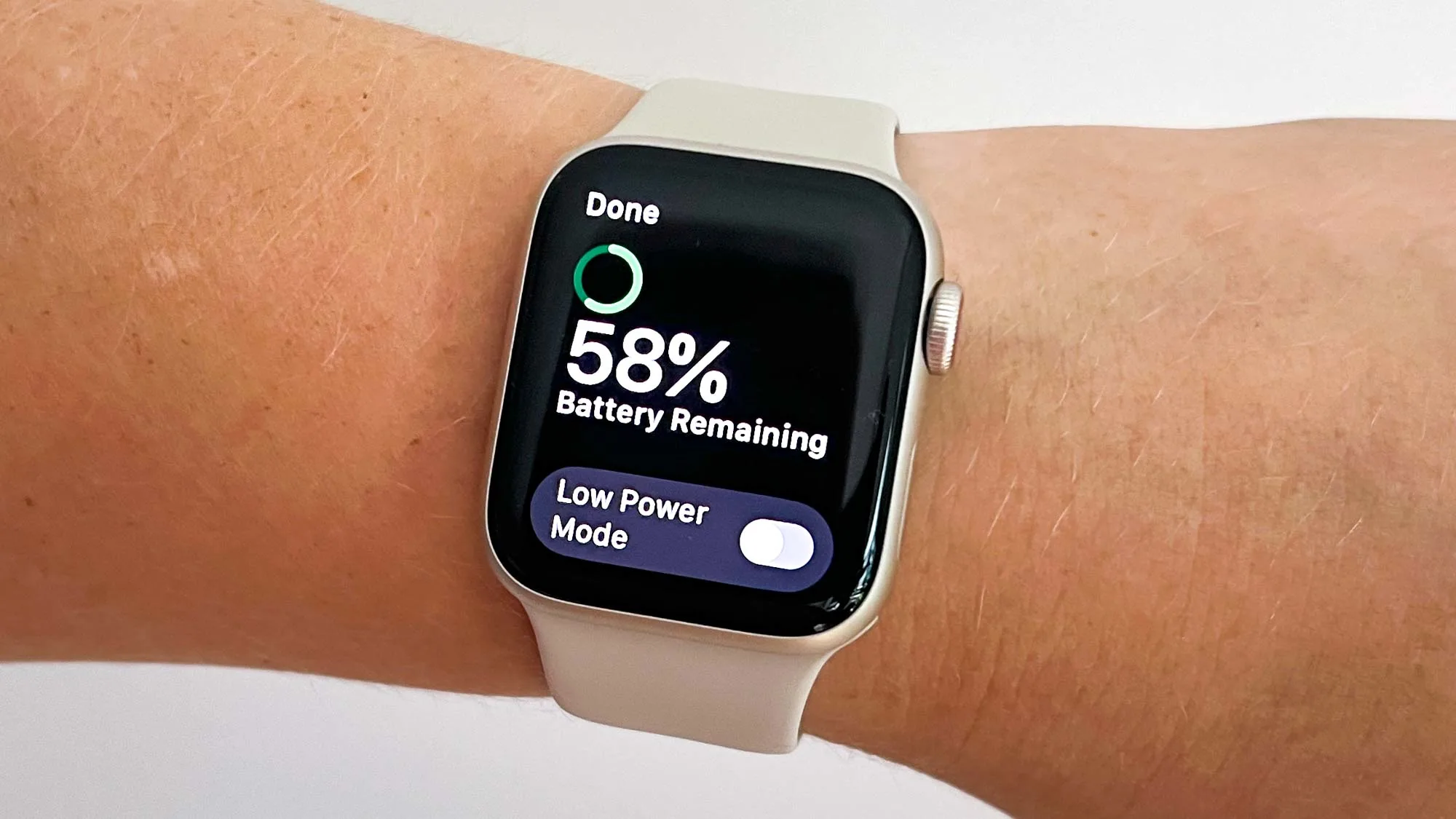
If your Apple Watch SE 3 battery drains faster than expected, especially during workouts, GPS tracking, or daily use, you’re not alone. Many users notice reduced battery life due to heavy usage, software behavior, and environmental factors.
Apple officially rates the SE 3 for up to 18 hours of battery life under normal usage, but real-world performance can drop significantly depending on settings and conditions.
The good news is that most Apple Watch SE 3 battery drain issues can be fixed without hardware repair. This guide explains the real causes, proven fixes, and when you may need professional help.
Why Your Apple Watch SE 3 Battery Drains Fast
Understanding the root cause is the first step to fixing battery problems. The issue is usually a combination of software activity, settings, and environmental stress.
1. Heavy Fitness and GPS Usage
Workout tracking, heart rate monitoring, and GPS navigation significantly increase battery consumption. Outdoor runs or cycling sessions can reduce battery life by 20–40%.
2. Background App Activity
Apps running in the background (fitness, delivery, messaging apps) continuously refresh data, silently draining power throughout the day.
3. High Display Brightness & Frequent Wake Screen
A bright display and frequent screen wake-ups are among the biggest battery killers in Apple Watch devices.
4. watchOS Updates and Software Bugs
After major watchOS updates, temporary battery drain may occur due to background indexing and system optimization processes.
5. Environmental Heat (Important in Dubai & Hot Regions)
High temperatures accelerate battery wear and can reduce daily performance. Heat also increases power consumption during outdoor use.
How to Fix Apple Watch SE 3 Battery Drain (Proven Methods)
These troubleshooting steps are based on Apple recommendations and real-world performance improvements.
1. Update watchOS to the Latest Version
Apple regularly releases updates that fix battery optimization bugs and background issues.
Go to:
iPhone → Watch App → General → Software Update
Keeping your device updated ensures better power management and stability.
2. Enable Low Power Mode
Low Power Mode reduces background activity, disabling non-essential features while extending battery life.
According to Apple, this can significantly extend usage time beyond standard limits.
3. Reduce Screen Brightness and Wake Time
Display settings have a direct impact on battery performance.
Recommended changes:
- Lower brightness level
- Turn off “Wake on Wrist Raise” if not needed
- Reduce screen wake duration
Even small adjustments can add several extra hours of usage.
4. Turn Off Background App Refresh
Background syncing is one of the most common hidden causes of battery drain.
Disable unnecessary apps:
Watch App → General → Background App Refresh
This helps reduce continuous power usage.
5. Manage Notifications and Apps
Too many notifications can wake your watch repeatedly throughout the day.
- Disable non-essential app notifications
- Remove unused apps
- Limit real-time syncing apps
This reduces unnecessary CPU and sensor usage.
6. Restart or Re-Pair Your Apple Watch
If battery drain started suddenly, a software glitch may be the cause.
- Restart: Hold Side Button + Digital Crown
- Re-pair: Reset connection between iPhone and Watch
This often fixes hidden syncing or system errors.
Dubai-Specific Factors That Affect Battery Life
If you’re using your Apple Watch SE 3 in hot climates like Dubai, battery drain can happen faster due to:
- High outdoor temperatures
- Constant GPS tracking in cities like Marina or Downtown
- Dust and sand exposure during outdoor activities
- Frequent app usage during commuting
These conditions can reduce battery efficiency over time.
When Apple Watch SE 3 Battery Needs Repair
If your watch still drains quickly after all fixes, it may indicate a hardware issue.
Common warning signs:
- Battery drops from 100% to 30% within hours
- Watch heats up during normal use
- Slow or inconsistent charging
- Battery health below 80%
At this stage, a battery replacement for Apple Watch SE 3 may be required.
You may also consider checking professional Apple Watch repair services in Dubai for full diagnostics.
Professional Apple Watch Battery Solutions in Dubai
If software fixes don’t work, expert repair services can help with:
- Apple Watch SE 3 battery replacement
- Charging port cleaning and repair
- Internal diagnostics and calibration
- WatchOS reinstallation and optimization
Timely repair ensures your device continues to perform efficiently throughout the day.
How to Prevent Future Battery Drain
To maintain long-term battery health:
- Avoid extreme heat exposure
- Use optimized charging settings
- Keep watchOS updated regularly
- Reduce unnecessary background apps
- Charge before battery drops too low
These habits help extend battery lifespan and daily performance.
FAQs – Apple Watch SE 3 Battery Drain
Why does my Apple Watch SE 3 battery drain so fast?
It is usually caused by GPS usage, background apps, high brightness, or software issues.
What is normal battery life for Apple Watch SE 3?
Up to 18 hours under normal conditions, depending on usage.
Can software updates cause battery drain?
Yes, temporary drain may occur after updates due to background processing.
How do I check battery health?
Go to Settings → Battery → Battery Health on your Apple Watch.
When should I replace the battery?
If health drops below 80% or battery drains unusually fast even after fixes.
Final Thoughts
Apple Watch SE 3 battery drain is a common issue, but in most cases it is completely fixable with the right settings and habits. Adjusting display settings, managing background apps, and enabling Low Power Mode can significantly improve performance.
If the problem continues, it may be time for a professional diagnosis or battery replacement to restore full functionality.
Keeping your Apple Watch optimized ensures it continues supporting your fitness, productivity, and daily lifestyle without interruptions.
If you’re looking to upgrade, you can easily sell your Apple Watch for instant cash and switch to the latest model hassle-free.
📍 Visit Any Milaaj Branch in Dubai
🔹 Bur Dubai
Milaaj Mobile and Laptop Repair Dubai
📞 055 258 8477
🔗 Google Maps
🔹 Al Barsha
Milaaj Mobiles and Laptop Repair Al Barsha
📞 052 596 2846
🔗 Google Maps
🔹 Reef Mall (Salah Al Din)
Milaaj Service Center Reef Mall
📞 052 3405 814
📍 1st Floor, Shop 16, Deira
🔗 Google Maps
📧 Email: support@milaaj.com
🕒 Operating Hours: Monday – Sunday




Leave a Reply