
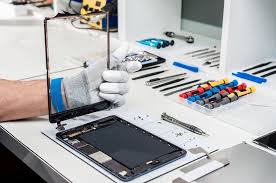
Accidentally dropped your iPad in water Water damage is one of the most stressful problems iPad users face. It usually happens suddenly, during a spill at a desk, a drop near a sink, or even light rain exposure and the immediate concern is always the same: is the device permanently gone?
The reality is more hopeful. In many situations, a water-damaged iPad can be repaired successfully, especially when it is handled quickly and correctly. However, the real danger is not just the water itself, but the internal corrosion that begins forming on sensitive components over time.
This guide explains everything you need to know about water-damaged iPad repair, including causes, symptoms, real solutions, and expert recovery advice.
Can a Water-Damaged iPad Be Repaired?
Yes, a water-damaged iPad can often be repaired, but the success rate depends heavily on timing and damage severity.
Even when the device does not turn on, it does not automatically mean it is beyond repair. In many cases, the internal storage and core components remain intact. The biggest challenge is preventing corrosion from spreading across the logic board.
Repair chances depend on several important factors:
- Type of liquid (clean water, saltwater, coffee, soft drinks, etc.)
- Duration of exposure before drying or repair
- Whether the device was powered on during liquid exposure
- Speed of professional intervention
- Level of internal corrosion and oxidation
In short, faster action almost always leads to better repair outcomes.
Common Causes of iPad Water Damage
1. Accidental Liquid Spills
Spills from coffee, tea, juice, or water are the most frequent cause of damage. While clean water is harmful, sugary or acidic liquids are far more dangerous because they leave behind residue that speeds up corrosion inside the device.
2. Full or Partial Submersion
Dropping the iPad into sinks, bathtubs, swimming pools, or toilets can allow liquid to enter multiple internal layers at once. Even a few seconds of exposure can be enough to cause serious internal damage if not handled immediately.
3. Humidity and Long-Term Moisture Exposure
In some cases, users don’t even notice direct water exposure. High humidity environments slowly allow moisture to enter internal components over time, leading to delayed failures such as screen issues or charging problems.
Warning Signs of Water-Damaged iPad
Water damage does not always show up immediately. Sometimes symptoms appear hours or even days later.
Look out for:
- iPad not powering on or stuck on Apple logo
- Flickering, dim, or black display
- Unresponsive or delayed touch input
- Charging port not detecting cable
- Speaker distortion or microphone failure
- Random restarts or overheating
- Battery draining unusually fast
These symptoms often indicate internal moisture or corrosion starting to affect critical components.
What to Do Immediately After Water Exposure
1. Turn Off the iPad Immediately
This is the most important step. Powering off prevents short circuits and reduces further internal damage.
2. Do Not Charge the Device
Plugging in a wet iPad can instantly damage the logic board and make recovery much more difficult or even impossible.
3. Remove Accessories and Case
Take off any protective case, disconnect cables, and remove SIM trays (if applicable). This helps air circulation and reduces trapped moisture.
4. Wipe Only the Exterior
Use a soft microfiber cloth to gently dry the outside. Avoid pressing buttons or shaking the device aggressively.
5. Avoid Rice or Heat Methods
Contrary to popular belief, rice does not remove internal moisture. It only absorbs surface humidity. Heat methods like hair dryers can worsen damage by pushing moisture deeper or damaging circuits.
Why DIY Water Damage Fixes Often Fail
Many users attempt home remedies, but internal iPad damage is far more complex than surface moisture.
Common mistakes include:
- Using rice or silica gel incorrectly
- Applying heat sources (causes board expansion damage)
- Trying to open the device without proper tools
- Delaying professional repair while “waiting to dry”
The biggest issue is internal corrosion, which spreads silently across the motherboard. Once corrosion begins, it becomes progressively harder to repair without professional cleaning.
How Professionals Repair Water-Damaged iPads
Professional water-damaged iPad repair involves a structured process designed to save both the device and data.
1. Complete Device Disassembly & Inspection
Technicians carefully open the iPad and inspect all internal components for moisture and corrosion damage.
2. Advanced Cleaning & Moisture Removal
Specialized cleaning solutions and ultrasonic cleaning tools are used to remove corrosion from sensitive circuits. This step is critical for preventing long-term failure.
3. Component-Level Testing
Each part is individually tested, including:
- Logic board
- Battery
- Display assembly
- Charging port
- Audio and sensor modules
4. Targeted Repair or Replacement
Only damaged components are repaired or replaced, which helps reduce cost and preserve remaining functional parts.
This structured approach significantly increases the chances of full device recovery.
Can Data Be Recovered from a Water-Damaged iPad?
Yes, data recovery is often possible even if the iPad does not turn on.
In many cases, photos, contacts, notes, and app data can still be retrieved through advanced board-level recovery methods, provided the storage chip remains intact.
This is why avoiding power-on attempts after water exposure is extremely important.
What Affects Water-Damaged iPad Repair Success?
Several factors influence whether a repair is successful:
- How quickly the device is treated after exposure
- Type of liquid involved
- Whether the device was turned on afterward
- Level of corrosion inside internal circuits
- Model and hardware condition
Even a few hours of delay can allow corrosion to spread significantly.
How to Prevent Future iPad Water Damage
While accidents cannot always be avoided, these steps can reduce risk:
- Use waterproof or shock-resistant cases
- Keep liquids away from desks or workspaces
- Avoid using iPads near pools, kitchens, or bathrooms
- Store devices in dry environments
- Avoid charging in humid conditions
Prevention is always more cost-effective than repair.
When Should You Seek Professional Help?
You should immediately visit a repair expert if:
- The iPad does not turn on
- There is visible moisture inside the screen
- Charging is not working properly
- Touchscreen is malfunctioning
- The device was fully submerged
Early diagnosis can dramatically improve repair success.
FAQs: Water-Damaged iPad Repair
1. Can a completely dead water-damaged iPad still be repaired?
Yes, in many cases it can. Even if your iPad is not turning on at all, the internal storage and motherboard may still be recoverable. Professional microsoldering and board-level cleaning often bring such devices back to life.
2. How long should I wait before taking a water-damaged iPad for repair?
Do not wait. The first 24–48 hours are critical. The longer moisture stays inside, the more corrosion spreads on the logic board, reducing repair success chances significantly.
3. Does rice or drying methods actually fix water damage?
No. Placing your iPad in rice, using a hairdryer, or sun-drying does not remove internal moisture. It can even worsen damage by pushing water deeper or causing heat-related component failure.
4. Will I lose my data after water damage?
Not necessarily. If the storage chip is not damaged, data recovery is possible even from dead iPads. However, the success rate depends on how quickly the device is handled by professionals.
5. Is water damage repair expensive compared to buying a new iPad?
Usually, repair is more affordable. Simple cleaning and part replacement are cost-effective, while severe motherboard damage may increase cost, but still often cheaper than replacement.
6. Can saltwater or coffee damage be repaired?
Yes, but it is more complex than clean water damage. Liquids like coffee, juice, or seawater cause faster corrosion, so immediate professional cleaning is very important.
7. Will Apple cover water-damaged iPad under warranty?
No, liquid damage is not covered under standard Apple warranty or AppleCare in most cases. You will need paid repair or third-party professional service.
8. How can I know if my iPad is permanently damaged?
If the logic board is severely corroded or multiple core components fail, repair may not be viable. A technician diagnostic is the only reliable way to confirm this.
Final Thoughts
So, can a water-damaged iPad be repaired?
Yes, many devices can be successfully restored when handled quickly and professionally.
The key takeaway is simple: time matters more than anything else. The faster the device is treated, the higher the chance of full recovery and data preservation.
If your iPad has suffered liquid damage, avoid DIY fixes and seek professional iPad repair services as soon as possible.
If your iPad is heavily water-damaged and repair is not cost-effective, you can also sell your iPad for instant cash and upgrade to a newer device.




Leave a Reply