
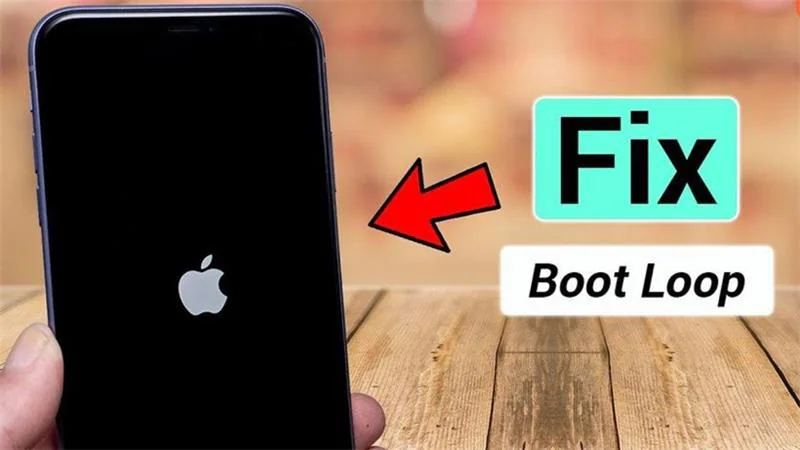
When you install the latest Apple update, you expect your iPhone to reboot smoothly and return to normal. However, many users panic when they see their device repeatedly restarting without turning on fully. This issue, widely known as the iPhone boot loop after iOS update, is more common than you might think. Although it often looks severe, the problem is usually fixable with the right steps. Even better, understanding the causes helps you prevent future errors.
In this complete guide, we will walk you through why an iPhone boot loop after iOS update occurs, what troubleshooting methods actually work, and when to seek expert repair. Additionally, we’ll explain how professionals diagnose deeper hardware faults to restore your device safely.
What Is an iPhone Boot Loop After iOS Update?
Before moving to solutions, it’s important to understand the issue. When an iPhone boot loop after iOS update happens, your device turns on, displays the Apple logo, attempts to load the system, and then abruptly restarts. This cycle repeats endlessly, preventing access to apps, data, or settings.
Although the symptoms can look alarming, most boot loops result from software corruption rather than physical damage. Still, hardware faults can also contribute.
Why Does an iPhone Boot Loop After an iOS Update?
Now let’s look at the most common causes. Each one helps explain why your device might fail to restart properly.
1. Interrupted iOS Update Process
One of the main causes of an iPhone boot loop after iOS update is interruption during installation. For instance:
- Low battery during installation
- Disconnection from computer during wired updates
- Sudden shutdown mid-update
Even a small interruption can corrupt critical system files, leading the phone to reboot continuously.
2. Corrupted Firmware or Incomplete Installation
Sometimes, iOS downloads with missing data or corrupt files. Consequently, when your iPhone tries to apply the update, it fails to load the system properly. This often results in:
- Random reboots
- Apple logo freeze
- Continuous loop cycles
3. Incompatible System Files or App Conflicts
Even though Apple optimizes updates for all supported devices, conflicts may still occur. For example:
- Older apps not updated for the new iOS
- Previous jailbreak remnants
- Third-party system modifications
Such conflicts can trigger an iPhone boot loop after iOS update as the system fails to load conflicting processes.
4. Logic Board or Power IC Malfunctions
If your iPhone has underlying hardware problems, an update may stress system resources and trigger a boot loop. This is most common when there are:
- Water damage traces
- Damaged circuits
- U2/Tristar charging IC faults
- Shorted power rails
While these issues are more serious, experienced technicians can repair them safely.
5. Storage Overload or Insufficient Space
If your device lacks enough storage while installing the update, the system may crash and enter a loop. This happens because:
- Update files cannot fully extract
- System files may partially overwrite
- Internal memory may fail to reinitialize
How to Fix iPhone Boot Loop After iOS Update (Step-By-Step)
Now that we know the causes, let’s move to solutions. Each step increases in intensity, so follow them in order.
1. Force Restart Your iPhone
A force reboot won’t erase data and often resolves light software crashes.
For iPhone 8, X, 11, 12, 13, 14, 15 series:
- Press Volume Up
- Press Volume Down
- Hold Side Button until the Apple logo reappears
If the device still restarts again, proceed to the next method.
2. Charge the Device for 30 Minutes
If the update stressed your battery, the power delivery might be unstable. Simply connecting the device to a stable charger can help break the loop.
Ensure you avoid cheap or faulty cables because they can worsen the situation.
3. Connect to a Computer & Use Recovery Mode
Recovery Mode is one of the most effective ways to fix an iPhone boot loop after iOS update.
Steps:
- Connect your iPhone to a Mac/PC
- Open Finder or iTunes
- Put your device into Recovery Mode
- Choose Update (not Restore)
This downloads a fresh version of iOS and repairs missing system files.
4. Use DFU Mode (Deep Firmware Update)
If Recovery Mode doesn’t work, DFU mode is the next powerful solution.
Benefits:
- Reloads firmware
- Fixes corrupted boot loaders
- Reinstalls system files
DFU mode often repairs deeper issues that cause an iPhone boot loop after iOS update.
5. Check for Hardware Damage
If your device recently suffered drops or water exposure, the boot loop may relate to:
- Corroded circuits
- Damaged power management IC
- Loose connectors
In that case, a professional inspection becomes necessary.
6. Seek Expert Repair if Boot Loop Continues
When your device fails to respond after multiple software-level fixes, it’s time for expert help. Skilled technicians can perform:
- Power IC repair
- Logic board diagnosis
- Component-level microsoldering
- Firmware restoration
Places like Milaaj have specialized tools that everyday users cannot access.
Signs Your Boot Loop Is Caused by Hardware Damage
If your issue is not software-related, you may spot these symptoms:
- Boot loop triggered by physical impact
- Device heats up before restarting
- iPhone stuck at 1% battery
- Black screen with weak vibration
- Random shutdowns before the update
Hardware faults often require micro-level repair.
How Technicians Fix iPhone Boot Loop After iOS Update
Professional repair centers follow structured diagnostic procedures:
1. Logic Board Testing
Multimeters and microscopes help identify malfunctioning circuits.
2. Power IC Replacement
If the charging IC (Tristar/U2) is faulty, the device cannot boot properly.
3. Firmware Restoration with Professional Tools
Tools like:
- DC power supply testers
- Advanced flashing machines
- Board reballing systems
help revive devices that software alone cannot fix.
4. Corrosion Removal After Water Damage
Cleaning, ultrasonic cleaning, and component replacement help restore shorted lines.
How to Prevent iPhone Boot Loop After Future iOS Updates
Prevention is always better than repair. Follow these steps:
1. Keep At Least 5–10GB Free Before Updating
This prevents incomplete installation errors.
2. Charge Your Device to 50% or More
Never update with a low battery.
3. Use Stable Wi-Fi
Avoid public or unstable networks when downloading updates.
4. Avoid Unauthorized Repairs
Cheap third-party components can trigger update-related issues.
5. Backup Before Every Update
Use iCloud or iTunes to protect your data.
When to Seek Professional Help
You should contact a technician if:
- Your device is stuck in a boot loop for more than 30 minutes
- DFU mode fails
- Device heats excessively
- Water or fall damage occurred
- Update keeps failing repeatedly
Delaying may lead to further hardware damage.
FAQs About iPhone Boot Loop After iOS Update
1. Why does my iPhone enter a boot loop after an iOS update?
Your iPhone may enter a boot loop due to corrupted update files, insufficient storage, firmware glitches, or hidden hardware issues triggered during the update process.
2. Can I fix an iPhone boot loop at home?
Yes, in many cases. Restarting the device, using Recovery Mode, performing a DFU restore, or updating via iTunes/Finder can resolve the issue—depending on the cause.
3. Will I lose data if my iPhone is stuck in a boot loop?
Not always. Some fixes preserve your data, but deep restorations (like DFU mode) can erase it. Regular backups are recommended.
4. How do technicians repair an iPhone boot loop issue?
Technicians inspect firmware corruption, repair iOS files, test hardware, replace faulty IC components if needed, and restore the system using professional diagnostic tools.
5. Is an iPhone boot loop caused by hardware or software?
It can be either. Most boot loops after updates are software-related, but a weak battery, damaged logic board, or faulty storage chip can also be responsible.
6. Should I update my iPhone again after fixing a boot loop?
Yes, but only if the device is stable. Technicians often update using clean firmware to prevent repeated boot loop cycles.
7. Where can I repair an iPhone stuck in a boot loop in Dubai?
You can visit Milaaj mobile and laptop repair Dubai for expert diagnosis and fast boot loop repair services.
Conclusion: iPhone Boot Loop After iOS Update
Experiencing an iPhone boot loop after iOS update is stressful, especially when your device repeatedly shuts down and fails to load the system. However, most causes—including firmware glitches, corrupted installations, and software conflicts—can be fixed with the methods discussed above. If software solutions fail, professional repair remains the safest and most effective way to restore your device.
Whether the issue is software corruption or deeper board-level problems, the right experts can diagnose and repair it properly.
Get professional iPhone repair services with expert technicians ensuring top-quality results.
Enjoy quick and reliable home delivery for your repaired or purchased devices.
Sell your old iPhone with confidence and get the best value instantly.
📍 Visit Any Milaaj Branch in Dubai
🔹 Bur Dubai
Milaaj Mobile and Laptop Repair Dubai
📞 055 258 8477
🔗 Google Maps
🔹 Al Barsha
Milaaj Mobiles and Laptop Repair Al Barsha
📞 052 596 2846
🔗 Google Maps
🔹 Reef Mall (Salah Al Din)
Milaaj Service Center Reef Mall
📞 052 3405 814
📍 1st Floor, Shop 16, Deira
🔗 Google Maps
🔹 Al Nuaimiya
Milaaj Mobiles and Laptops Ajman
📞 055 788 9654
🔗 Google Maps
📧 Email: support@milaaj.com
🕒 Operating Hours: Monday – Sunday



Leave a Reply