
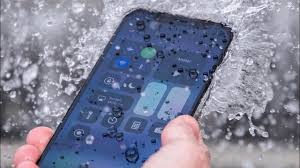
Accidentally dropping your iPhone in water can feel like a nightmare—especially when you realize how quickly liquid can ruin a device. If you’ve ever panicked, thinking “my iPhone dropped in water, what do I do now?” you’re not alone. Water-damaged iPhones are one of the most common issues technicians see every day. This guide will walk you through the immediate steps to prevent permanent damage, explain what expert repair professionals do differently, and show you how to protect your device from future accidents.
What To Do When Your iPhone Dropped in Water: First 10 Seconds Matter
When your iPhone dropped in water, the very first moments are critical. Most people make the mistake of shaking the phone, pressing buttons, or trying to turn it on. However, these actions can push water further inside. Instead, the smartest move is to stay calm and follow the right steps.
If your iPhone dropped in water, quickly retrieving it from the liquid reduces the exposure time. Whether it fell into a pool, sink, bucket, or toilet, time plays a major role in determining how severe the damage will be.
Why iPhones Get Damaged Even With Water Resistance Ratings
Even though newer iPhones have IP67 or IP68 ratings, water resistance doesn’t mean waterproof. When an iPhone dropped in water, several factors can affect the internal damage:
- Age of the device
- Wear and tear on seals
- Cracks or dents
- Exposure to saltwater or chlorine
- Poor maintenance
Water resistance decreases over time because the internal seals weaken. So even if your iPhone water damage and the model claims it can survive, that does not guarantee safety.
Immediate Steps To Follow When Your iPhone Dropped in Water
To prevent irreversible harm, here are the correct steps you should follow right away.
1. Remove the iPhone Immediately and Power It Off
As soon as your iPhone water damage, take it out quickly. Don’t press any buttons except the power button. Turning it off prevents short circuits.
2. Remove the Case and Accessories
If your iPhone dropped in water, moisture can hide under phone cases, pop sockets, or magnetic accessories. Remove everything to allow better airflow.
3. Gently Wipe the Exterior
Use a soft cloth to wipe the device. Do not use heat, tissues, or rough materials. Heat can warp components, and tissues shed particles.
4. Avoid the Rice Method Completely
There is a long-standing myth that placing your iPhone dropped in water into rice will fix it. Unfortunately, rice does nothing to dry internal components. Worse, rice dust can enter the charging port and worsen the problem.
5. Let It Air-Dry Properly
Air drying is better than anything else. Leave the device in a dry, ventilated area. If your iPhone dropped in water, avoid placing it in sunlight, on heaters, or under fans.
6. Remove the SIM Card
This helps moisture escape through the slot and prevents SIM damage.
7. Don’t Charge It
Charging a iPhone dropped in water may cause instant short circuits. Always let a technician inspect the charging port before connecting any power source.
8. Visit a Professional Repair Center
If your iPhone dropped in water, professional help is crucial. Even if the phone works for now, corrosion can silently build up and kill the device within days. A repair shop can open the phone, dry internal components, and clean the corrosion.
A trusted name in Dubai for water-damaged phones is Milaaj mobile and laptop repair Dubai, known for expert-level diagnostics and precise board-level repairs.
What Happens Inside When an iPhone Dropped in Water?
Understanding internal damage helps you appreciate the urgency. Water triggers chemical reactions between metal parts, causing corrosion. When your iPhone dropped in water, the damage spreads as long as moisture remains inside.
Components most affected include:
- Motherboard
- Battery
- Charging IC
- Face ID system
- Display connectors
- Speakers and microphone
Even a working phone is not a safe phone when it has unseen water damage.
Why You Should Never Turn On an iPhone Dropped in Water
Turning on a iPhone dropped in water is the biggest mistake users make. Electricity + water = immediate short circuit. This often causes irreversible logic board damage that even technicians can’t repair.
If the device restarts automatically, turn it off immediately.
Signs Your iPhone Dropped in Water May Be Damaged
After an iPhone dropped in water, symptoms can appear instantly or days later. Watch for:
- Random restarting
- No charging or slow charging
- Speaker distortion
- Face ID not working
- Screen flickering or ghost touches
- Weak signals
- Overheating
- Green lines on display
If you see any of these signs, seek immediate repair to prevent worsening.
How Technicians Save a iPhone Dropped in Water
Professional technicians handle water damage differently than DIY attempts. When your iPhone dropped in water, experts follow a multi-step process:
1. Complete Disassembly
They open the device safely without damaging sensitive components.
2. Liquid Damage Indicator (LDI) Check
iPhones have internal moisture sensors. Their color change confirms water entry.
3. Ultrasonic Cleaning
This step removes corrosion from the motherboard—a process not possible at home.
4. Component Testing
Each part is tested for current flow, connection stability, and performance.
5. Board-Level Repair
If your iPhone water damage causes IC failure, technicians replace tiny chips under microscopes.
6. Waterproof Seal Replacement
The original seals are restored to protect the device in the future.
What Not To Do When Your iPhone Dropped in Water
Avoid these common mistakes:
- Do not blow-dry the phone
- Do not press buttons repeatedly
- Do not put it in sunlight
- Do not shake the phone
- Do not open it without proper tools
Incorrect handling when an iPhone water damage can cause more harm than the water itself.
How to Prevent iPhone Damage in the Future
If your iPhone dropped in water once, you may want to protect it better going forward:
- Use a certified waterproof case
- Avoid using your phone near pools or sinks
- Don’t place your phone on the edge of tables
- Use a lanyard when shooting beach or pool photos
- Keep your device clean and free from cracks
A little prevention saves a lot of trouble.
Is Water Damage Covered Under Warranty?
Apple’s standard warranty does not cover liquid damage. So, if your iPhone water damage, you will have to pay for the repair unless you have AppleCare+ with accidental damage protection.
Cost of Repair When an iPhone Dropped in Water
Repair costs depend on:
- Device model
- extent of motherboard damage
- replacement part costs
- labor charges
Simple liquid cleaning is cheaper, but motherboard damage may be more expensive. That’s why early action is important when your iPhone water damage.
FAQs: iPhone Dropped in Water
1. What should I do first if my iPhone dropped in water?
Immediately power it off, remove any case, wipe the exterior, and keep it upright to prevent water from spreading inside. Acting quickly increases the chances of saving the device.
2. Can my iPhone survive after being dropped in water?
Yes, many iPhones survive water exposure if the damage is minimal and you take the correct steps right away. Even water-resistant models are not fully waterproof, so internal damage is still possible.
3. Should I put my iPhone in rice after dropping it in water?
No. Rice does not dry the internal components and may trap moisture inside. It can also introduce dust. Professional dehydration tools are much safer and more effective.
4. How long should I wait before turning on my wet iPhone?
You should avoid turning it on for at least 24–48 hours, or until a technician inspects it. Switching it on too early may cause short circuits and permanent damage.
5. What are the signs of water damage inside an iPhone?
Common signs include overheating, muffled speakers, screen flickering, battery issues, no charging, or Wi-Fi/Bluetooth malfunction. Moisture under the screen is also a clear indicator.
Final Thoughts: Save Your iPhone Before It’s Too Late
Dropping your iPhone in water is stressful, but doing the right things immediately can save your device. When your iPhone dropped in water, turn it off, dry it externally, avoid rice, and get professional help quickly. Water damage worsens over time, so don’t wait until symptoms appear.
By following the steps in this guide, you increase your chances of restoring the phone back to perfect working condition—without losing data or facing permanent damage.
Get professional iPhone repair services with expert technicians ensuring top-quality results.
Enjoy quick and reliable home delivery for your repaired or purchased devices.
Sell your old iPhone with confidence and get the best value instantly.
📍 Visit Any Milaaj Branch in Dubai
🔹 Bur Dubai
Milaaj Mobile and Laptop Repair Dubai
📞 055 258 8477
🔗 Google Maps
🔹 Al Barsha
Milaaj Mobiles and Laptop Repair Al Barsha
📞 052 596 2846
🔗 Google Maps
🔹 Al Barsha 3
Milaaj Service Center Reef Mall
📞 052 3405 814
🔗 Google Maps
🔹 Al Nuaimiya
Milaaj Mobiles and Laptops Ajman
📞 055 788 9654
🔗 Google Maps
📧 Email: support@milaaj.com
🕒 Operating Hours: Monday – Sunday




Leave a Reply