
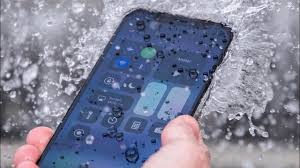
Accidentally dealing with an iPhone dropped in water situation can feel like a disaster in seconds. One moment everything is fine, and the next your phone is soaked, unresponsive, or behaving strangely. The good news is that quick action and the right steps can significantly increase your chances of saving your device.
In this guide, you’ll learn exactly what to do when your iPhone dropped in water, what to avoid, how water actually damages your phone, and when professional repair becomes necessary.
What Happens When Your iPhone Dropped in Water?
When your iPhone dropped in water, the real danger isn’t just the liquid, it’s what happens internally. Water can:
- Short-circuit electronic components
- Corrode the motherboard over time
- Damage the battery and charging system
- Affect the display, speakers, and Face ID sensors
Even if your phone seems fine at first, hidden moisture can cause delayed damage days later.
First 5 Minutes: What To Do When Your iPhone Dropped in Water
Acting fast makes a huge difference. Here’s what you should do immediately:
1. Take It Out and Power It Off
The moment your iPhone is dropped in water, remove it and switch it off. This prevents electrical short circuits.
2. Remove Accessories
Take off the case, SIM card, and any attachments. Moisture often hides in these areas.
3. Dry the Exterior Gently
Use a soft, lint-free cloth to wipe the phone. Avoid shaking it, as this can push water deeper inside.
4. Keep It Upright in a Dry Area
Place the phone in a well-ventilated space. Let gravity help moisture escape.
5. Do NOT Charge It
Charging a wet iPhone can cause serious internal damage. Wait until it’s fully dry or inspected.
What NOT to Do After Your iPhone Dropped in Water
Many people unintentionally make things worse. Avoid these mistakes:
- Do not put your iPhone in rice
- Do not use a hairdryer or heat source
- Do not press buttons repeatedly
- Do not try to open the phone yourself
- Do not turn it on too soon
The rice method, in particular, is a myth. It doesn’t remove internal moisture and can introduce dust into ports.
Why Water Resistance Doesn’t Guarantee Safety
Modern iPhones come with IP67 or IP68 ratings, but this doesn’t mean they are waterproof.
If your iPhone drops in water, damage can still happen due to:
- Aging seals that lose effectiveness
- Previous drops or cracks
- Exposure to saltwater or chlorinated water
- High pressure or long exposure
So even newer models are not completely safe from water damage.
Signs of Water Damage in iPhone
After your iPhone dropped in water, watch for these warning signs:
- Screen flickering or ghost touch
- No charging or slow charging
- Muffled or distorted sound
- Overheating
- Camera fog or blurry images
- Face ID not working
- Random restarts
Sometimes these symptoms appear hours or even days later.
How Professionals Fix an iPhone Dropped in Water
If your phone has internal damage, professional repair is the safest option.
Technicians usually follow a detailed process:
1. Internal Inspection
The device is opened carefully to check moisture exposure.
2. Ultrasonic Cleaning
Special machines remove corrosion from the motherboard.
3. Component Testing
Battery, display, charging IC, and sensors are tested individually.
4. Micro Repairs
Damaged chips or circuits are repaired using precision tools.
5. Full Reassembly and Testing
The device is restored and tested to ensure stable performance.
If you’re dealing with a serious case, getting help from a reliable iphone repair service in dubai ensures your device is handled safely without risking further damage.
Can an iPhone Be Saved After Water Damage?
Yes, in many cases. If your iPhone is dropped in water, recovery depends on:
- How quickly you acted
- Type of liquid (clean water vs saltwater)
- Duration of exposure
- Internal damage level
The sooner you respond, the higher the chances of saving your phone.
How to Prevent Future Water Damage
After experiencing an iPhone water damage situation once, prevention becomes essential.
Here are simple ways to protect your device:
- Use a waterproof or water-resistant case
- Avoid using your phone near water sources
- Keep it away from edges and slippery surfaces
- Be cautious in rain, pools, and beaches
- Regularly check for cracks or damage
Small habits can prevent costly repairs later.
Is Water Damage Covered Under Warranty?
In most cases, no. Apple’s standard warranty does not cover liquid damage. Only AppleCare+ with accidental coverage may reduce repair costs.
That’s why acting quickly when your iPhone dropped in water is so important.
Final Thoughts: Don’t Wait After Your iPhone Dropped in Water
An iPhone dropped in water situation is stressful, but it’s not always the end of your device. The key is acting fast, avoiding common mistakes, and seeking professional help when needed.
Even if your phone seems to work fine, internal corrosion can silently damage it over time. So it’s always better to be safe than sorry.
If you’re worried about losing important files, it’s best to act quickly. professional data recovery services can often retrieve photos, contacts, and documents even from water-damaged devices.
If your device is beyond repair or not worth fixing, you can also consider options to sell your iPhone for cash in Dubai and upgrade without losing value.
Taking the right steps today can save your data, your device, and your money.
📍 Visit Any Milaaj Branch in Dubai
🔹 Bur Dubai
Milaaj Mobile and Laptop Repair Dubai
📞 055 258 8477
🔗 Google Maps
🔹 Al Barsha
Milaaj Mobiles and Laptop Repair Al Barsha
📞 052 596 2846
🔗 Google Maps
🔹 Al Barsha 3
Milaaj Service Center Reef Mall
📞 052 3405 814
🔗 Google Maps
🔹 Al Nuaimiya
Milaaj Mobiles and Laptops Ajman
📞 055 788 9654
🔗 Google Maps
📧 Email: support@milaaj.com
🕒 Operating Hours: Monday – Sunday




Leave a Reply