
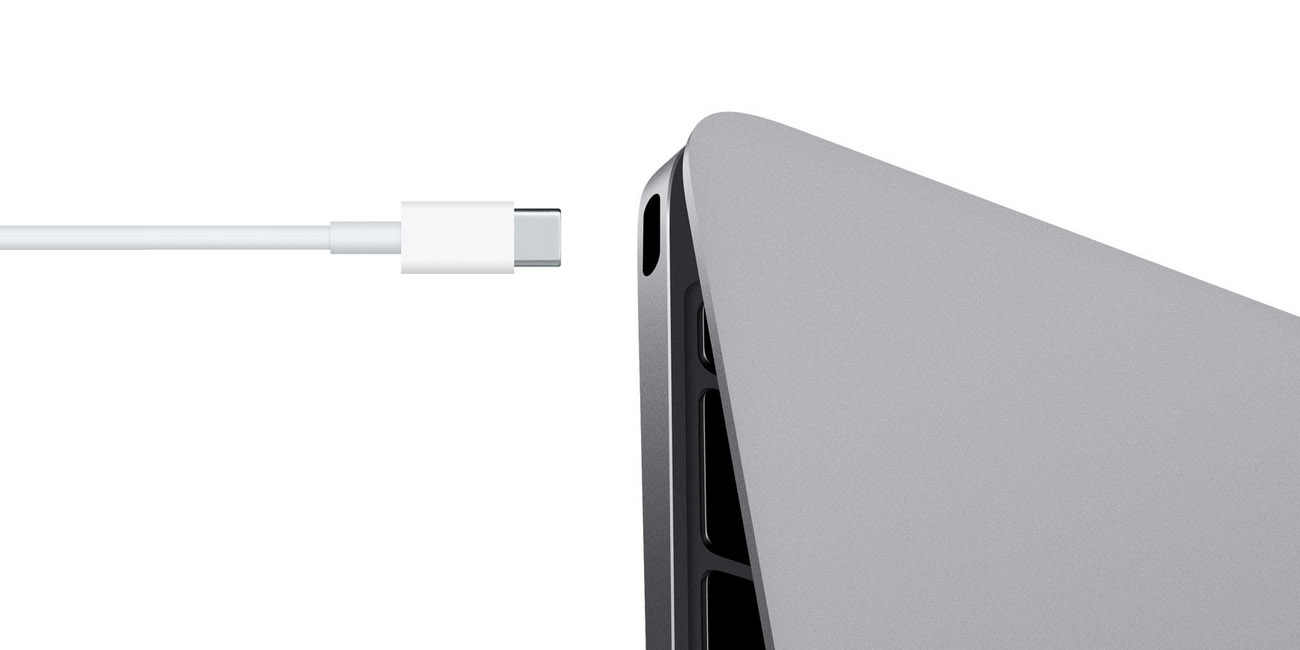
Is your MacBook charging port loose and forcing you to adjust the cable just to keep it charging? You’re not alone. This is a common issue many MacBook users face over time, especially with regular daily use.
A loose charging port may start as a small inconvenience, but it can quickly lead to intermittent charging, battery drain, overheating, or even complete charging failure. The good news is that most of these issues can be fixed safely when diagnosed early.
In this guide, you’ll learn what causes a loose MacBook charging port, how to identify the problem, what actually works (and what doesn’t), and when to seek professional MacBook repair.
What Does a Loose MacBook Charging Port Actually Mean?
When we say a MacBook charging port is loose, it doesn’t always mean the port is physically broken. In many cases, it means the connection between the charger and port is unstable.
You might notice:
• Charger doesn’t stay firmly connected
• Charging only works at certain angles
• MacBook switches between charging and not charging
• “Battery Not Charging” message appears
• Slight movement disconnects power
These are early warning signs that shouldn’t be ignored.
Common Causes of a Loose MacBook Charging Port
Even though MacBooks are well-built, charging ports go through constant wear. Over time, this leads to looseness or unstable connections.
1. Daily Wear and Tear
Frequent plugging and unplugging slowly weakens the internal connectors. This is the most common reason behind a loose port.
2. Using Non-Original Chargers
Low-quality or incompatible chargers don’t fit perfectly, which puts extra pressure on the port and damages it over time.
3. Dust and Debris Inside the Port
Lint, dust, or small particles can block proper contact between the charger and port, making it feel loose.
4. Accidental Pulls or Cable Stress
Pulling the cable suddenly or using the MacBook while charging can loosen internal components or damage the port alignment.
5. Liquid or Moisture Exposure
Even minor liquid exposure can corrode internal pins, leading to unstable charging.
Why You Shouldn’t Ignore a Loose MacBook Charging Port
It might seem like a minor issue, but a loose MacBook charging port can lead to bigger problems if left untreated.
• Battery damage due to inconsistent power supply
• Overheating while charging
• Charging IC or logic board issues
• Complete charging failure over time
Fixing it early is always cheaper and safer than dealing with major hardware damage later.
Quick Checks You Can Try First
Before assuming the port is damaged, try these simple checks:
• Test with another original or certified charger
• Inspect the port using a flashlight for dust or debris
• Gently clean using compressed air (avoid sharp objects)
• Restart your MacBook and check battery status
If the problem continues, it’s likely a hardware issue that needs proper repair.
DIY Fix vs Professional Repair: What Actually Works?
Many users try quick fixes, but not all of them are safe.
Temporary DIY Fixes (Not Recommended Long-Term)
• Pushing the cable at an angle
• Using tape or pressure to hold the charger
• Cleaning with pins or toothpicks
These may work briefly, but they can damage internal connectors permanently.
Why Professional Repair Is the Better Option
A proper repair involves identifying the exact cause, whether it’s:
• Dust or corrosion
• Loose internal connectors
• Damaged charging port
• Faulty power circuit on the motherboard
Fixing the root cause ensures stable charging and prevents repeat issues.
Professional MacBook Charging Port Repair Solutions
Depending on the problem, technicians may use different repair methods:
Port Cleaning and Internal Inspection
Removes debris, corrosion, or dirt safely using proper tools.
Connector Adjustment or Reinforcement
If pins are slightly loose, they can be carefully realigned.
Charging Port Replacement
For physically damaged ports, replacing the component restores full functionality.
Micro-Soldering Repairs
If the issue is deeper (like loose connections on the board), precision soldering fixes the problem.
Power Circuit Repair
In rare cases, charging issues come from internal circuits rather than the port itself.
How to Prevent Charging Port Problems in the Future
Once repaired, a few simple habits can help avoid the same issue again:
• Always use original or certified chargers
• Avoid using your MacBook while moving it when plugged in
• Plug and unplug gently
• Keep the charging port clean
• Avoid exposure to moisture or spills
Small habits can make a big difference in long-term performance.
How Long Does MacBook Charging Port Repair Take?
In most cases, MacBook charging port repair can be completed the same day, especially if it’s a minor issue like cleaning or connector adjustment.
More complex repairs like soldering or board-level fixes may take a bit longer, depending on the damage.
When Should You Get It Repaired Immediately?
Don’t delay repair if you notice:
• Charging stops completely
• Port feels physically loose or shaky
• Burning smell or sparks
• MacBook heats up while charging
• Battery drains even when plugged in
These signs often indicate deeper hardware issues.
Repair or Sell Your MacBook?
If your MacBook has multiple issues or repair costs are too high, it might be worth considering selling it instead.
In such cases, you can sell your MacBook in Dubai and get instant value instead of spending heavily on repairs.
What About Data Safety?
Charging issues alone don’t usually affect your data, but if the problem is related to the motherboard or power failure, data access can become difficult.
If your MacBook stops turning on completely, professional macbook data recovery services can help retrieve important files before any major repair.
Final Thoughts
A MacBook charging port loose issue may seem small at first, but it can quickly affect your device’s performance and reliability. The key is to act early, avoid risky DIY fixes, and choose the right repair approach.
If you’re facing charging problems, getting it checked by professionals can save both time and money in the long run.
For fast and reliable help, you can reach out to Milaaj Mobile and Laptop Repair Dubai for expert diagnosis, safe Macbook repair service in Dubai, and long-lasting solutions.
📍 Visit Any Milaaj Branch in Dubai
🔹 Bur Dubai
Milaaj Mobile and Laptop Repair Dubai
📞 055 258 8477
🔗 Google Maps
🔹 Al Barsha
Milaaj Mobiles and Laptop Repair Al Barsha
📞 052 596 2846
🔗 Google Maps
🔹 Al Barsha 3
Milaaj Mobiles , Laptops and Watches Repair Service📞 052 3405 814
🔗 Google Maps
🔹 Al Nuaimiya
Milaaj Mobiles and Laptops Ajman
📞 055 788 9654
🔗 Google Maps
📧 Email: support@milaaj.com
🕒 Operating Hours: Monday – Sunday




Leave a Reply