
The landscape of mobile cinematography officially shifted on February 25, 2026, with the debut of the Samsung Galaxy S26 Ultra. While we often talk about megapixels and zoom ranges, the real magic happens behind the glass in the silicon. If you are a content creator in the UAE, you are likely looking for the ProVisual Engine Guide: Shooting 8K Video with S26 Ultra’s Horizon Lock. This isn’t just a software update; it is a fundamental redesign of how a smartphone interprets movement and light.
Whether you are filming high-speed cars on the Jebel Jais mountain roads or capturing the shimmering skyline of Dubai Marina at sunset, the S26 Ultra promises cinema-grade stability. By combining the raw power of the Snapdragon 8 Elite Gen 5 with specialized AI “agents,” Samsung has eliminated the need for bulky external gimbals for most creators. Let’s dive into how you can master these professional tools.
What is the ProVisual Engine?
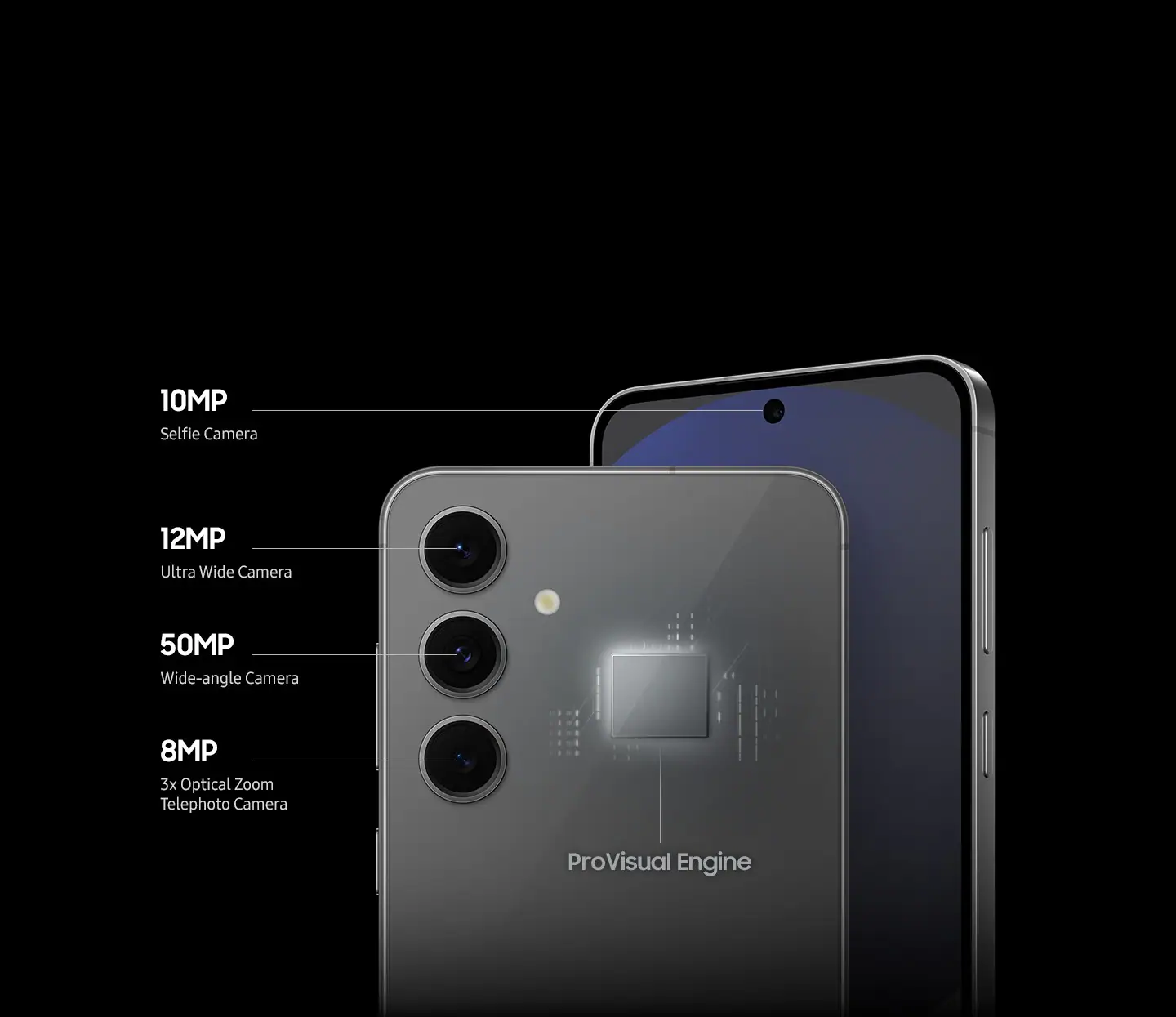
To master the ProVisual Engine Guide: Shooting 8K Video with S26 Ultra’s Horizon Lock, we first need to understand the “brain” of the camera. The ProVisual Engine is a dedicated suite of AI algorithms that runs on the 2nm NPU (Neural Processing Unit).
The AI Semantic Real-Time Processing
Unlike older phones that applied filters after you finished recording, the ProVisual Engine works in real-time. It identifies objects faces, pets, sky, and greenery and optimizes the noise reduction and sharpness for each segment of the frame individually. This is why 8K video on the S26 Ultra looks significantly “cleaner” and less “digital” than previous generations.
The APV Codec Integration for ProVisual Engine Guide
In 2026, Samsung introduced the Advanced Professional Video (APV) codec. This allows the S26 Ultra to record 8K footage with a much higher bitrate and 12-bit color depth. For creators, this means you can color-grade your footage in professional software like DaVinci Resolve without the image breaking down or becoming pixelated.
Mastering Horizon Lock in 8K for ProVisual Engine Guide
The standout feature of the 2026 lineup is the Horizon Lock. Historically, “Super Steady” modes were restricted to 1080p or 4K because they required a heavy “crop” on the sensor to stabilize the image. However, the S26 Ultra uses its massive 200MP ProVisual sensor to maintain a true 8K output even while rotating the device.
How Horizon Lock Works for ProVisual Engine Guide
Horizon Lock uses the device’s internal gyroscopes and the wide-angle field of view to keep the level of the ground perfectly flat. You can literally rotate the S26 Ultra 360 degrees while running, and the video will remain perfectly upright.
Setting Up Your Shot for ProVisual Engine Guide
To activate this, open your Camera app and switch to Video Mode. Ensure your resolution is set to 8K 60fps. Tap the “wavy hand” icon (Super Steady), and select Horizon Lock from the sub-menu. Because this mode utilizes the 2nm chip’s extreme processing power, you will notice zero lag in the viewfinder, allowing you to track fast-moving subjects with ease.
Shooting 8K in the Dubai Sun: Thermal Management
Shooting 8K at 60fps with Horizon Lock enabled generates an incredible amount of heat. Samsung anticipated this by moving from Titanium back to a high-conductivity Aviation-Grade Aluminum frame for the S26 Ultra. This material pulls heat away from the processor much faster, allowing for longer recording times before the phone needs to cool down.
However, if you are filming outdoors in the UAE summer, we recommend keeping your recording bursts to 10 minutes or less. The ProVisual Engine will automatically manage the frame rate if it detects a thermal spike, but staying in the shade when possible will ensure your 8K bitrate stays at its maximum.
Milaaj Mobile and Laptop Repair Dubai: Your Camera Care Partner
When you use your S26 Ultra as a professional cinema tool, the stakes for its physical health are high. A tiny scratch on that f/1.4 aperture lens or a malfunctioning gyroscope can ruin your production. Milaaj mobile and laptop repair Dubai specializes in the high-precision maintenance required for these 2026 flagships.
Why Professional Creators Trust Milaaj:
- Speed Repairing: We understand that “time is money” in the content world. We offer same-day camera module and glass replacements, ensuring you don’t miss your shoot window.
- Low Price & Transparency: Don’t let high-end tech lead to high-end repair bills. We offer a low price guarantee for Al Barsha residents, providing expert fixes at a fraction of the cost of agency replacements.
- Ultimate Convenience: If your camera fails while you’re on location, we offer free pickup and delivery across Dubai. We’ll collect your device and return it fully calibrated.
- Premium Part Quality: The S26 Ultra’s camera system is incredibly delicate. We use only OEM-certified parts to ensure your ProVisual Engine and Horizon Lock sensors function with 100% accuracy.
- Thermal Refresh Services: If your S26 Ultra is overheating too quickly during 8K shoots, our technicians can perform a professional thermal paste refresh and internal cleaning to keep those 2nm chips running cool.
FAQs About ProVisual Engine Guide
1. Does Horizon Lock work in low light?
While Horizon Lock is best in daylight, the f/1.4 aperture on the S26 Ultra allows for much better low-light stabilization than previous models. However, in very dark environments, you may notice some “motion blur” as the AI struggles to find the horizon line.
2. How much storage does 8K 60fps video use?
8K video is massive. One minute of 8K 60fps footage using the APV codec can take up to 1GB of storage. We highly recommend the 1TB model of the S26 Ultra if you plan on using the ProVisual Engine Guide: Shooting 8K Video with S26 Ultra’s Horizon Lock frequently.
3. Can I use Horizon Lock with the Telephoto lens?
Horizon Lock is primarily optimized for the Main (1x) and Ultra-Wide (0.6x) lenses. Using it with the periscope zoom is possible, but the stabilization is less effective because of the narrower field of view.
4. Is the video quality better than a dedicated Action Cam?
In terms of color depth and dynamic range, the S26 Ultra outperforms most action cams. However, for extreme sports where the phone might take a heavy impact, a dedicated action cam is still safer. For cinematic b-roll, the S26 Ultra is the clear winner.
5. Why does my 8K video look “choppy” on my laptop?
Most older laptops cannot natively decode 8K 60fps APV files. You may need to create “proxies” in your editing software or ensure your computer has a modern GPU capable of 8K playback.
Summary: ProVisual Engine Guide
Following the ProVisual Engine Guide: Shooting 8K Video with S26 Ultra’s Horizon Lock is your ticket to producing viral-quality content with nothing but your phone. By mastering the intersection of the 200MP sensor and the 2nm AI processing power, you can create smooth, professional-grade videos that were impossible just a year ago.
The Galaxy S26 Ultra isn’t just a phone; it’s a pocket-sized film studio. With the right techniques and a reliable maintenance partner like Milaaj, you have everything you need to capture the world in stunning, level, and crystal-clear 8K.
Is your S26 Ultra’s camera acting up or showing a “Camera Failed” error? Contact Milaaj today for a specialized diagnostic and get back to shooting in 8K!
Get professional Mobile Phone repair services with expert technicians ensuring top-quality results.
Instead of trying random recovery apps, always rely on certified software or trusted repair centers like Milaaj for secure data restoration.
Back in your hands faster: Enjoy rapid, reliable doorstep delivery for every device we service or sell.
Sell your old iPhone with confidence and get the best value instantly.
📍 Visit Any Milaaj Branch in Dubai
🔹 Bur Dubai
Milaaj Mobile and Laptop Repair Dubai
📞 055 258 8477
🔗 Google Maps
🔹 Al Barsha
Milaaj Mobiles and Laptop Repair Al Barsha
📞 052 596 2846
🔗 Google Maps
🔹 Al Barsha 3
Milaaj Mobiles and Gaming Store
📞 052 3405 814
🔗 Google Maps
🔹 Al Nuaimiya
Milaaj Mobiles and Laptops Ajman
📞 055 788 9654
🔗 Google Maps
📧 Email: support@milaaj.com
🕒 Operating Hours: Monday – Sunday




Leave a Reply