

When your iPad suddenly stops working after exposure to water, panic is a natural reaction. A water damaged iPad won’t turn on is one of the most stressful issues Apple users face, especially when important data, work files, or memories are stored inside. Although modern iPads offer some level of water resistance, they are not waterproof, and even a small amount of moisture can cause serious internal damage.
Fortunately, all hope is not lost. With the right steps, timely action, and professional repair methods, a water damaged iPad that won’t turn on can often be repaired successfully. In this comprehensive guide, we will explain why water damage causes power failure, the warning signs you should never ignore, safe troubleshooting steps, professional repair solutions, and how to prevent future damage.
Why a Water Damaged iPad Won’t Turn On
A water damaged iPad won’t turn on because liquid interferes with critical internal components. Water creates electrical short circuits, corrosion, and component failure, which prevent the device from powering up normally.
Common Reasons Water Stops an iPad from Turning On
- Short circuits on the logic board
- Corrosion on power and charging circuits
- Battery damage or connector failure
- Display and backlight damage
- Trapped moisture causing delayed failure
Moreover, even if the iPad initially works after water exposure, corrosion can develop over time. As a result, the iPad may suddenly stop turning on days or weeks later.
Early Signs of Water damaged iPad won’t turn on
Before your iPad completely shuts down, it may show warning signs. Therefore, recognizing these symptoms early can significantly increase repair success.
Symptoms That Indicate Water Damage
- iPad not turning on after getting wet
- Screen flickering or black display
- Random restarts or freezing
- Charging issues or overheating
- Distorted sound or unresponsive buttons
If you notice any of these symptoms, especially after liquid exposure, it is critical to act quickly.
What to Do Immediately If Your iPad Gets Wet
When a water damaged iPad won’t turn on, your first actions matter the most. Acting correctly can reduce permanent damage.
Immediate Steps to Take
- Turn off the iPad immediately (if it’s still on)
- Disconnect charging cables and accessories
- Gently dry the exterior with a soft cloth
- Do NOT try to turn it on repeatedly
- Avoid heat sources like hair dryers
Most importantly, never place your iPad in rice. While rice absorbs surface moisture, it cannot remove internal liquid and often causes further damage.
Why DIY Fixes Often Make Water Damage Worse
Many users try DIY solutions when a water damaged iPad won’t turn on. Unfortunately, these attempts often worsen the problem.
Risky DIY Mistakes to Avoid
- Charging the iPad while wet
- Using heat to “dry” internal parts
- Opening the iPad without proper tools
- Using chemical cleaners on components
As a result, corrosion spreads faster, and repair costs increase significantly.
Professional Diagnosis for a Water Damaged iPad
Once water enters the iPad, professional diagnostics become essential. Repair technicians use advanced tools to assess damage safely.
Professional Diagnostic Methods
- Liquid damage indicator inspection
- Microscopic board examination
- Voltage and power line testing
- Battery health analysis
Therefore, professional diagnostics ensure the exact cause is identified before repairs begin.
How Repair Shops Fix a Water Damaged iPad That Won’t Turn On
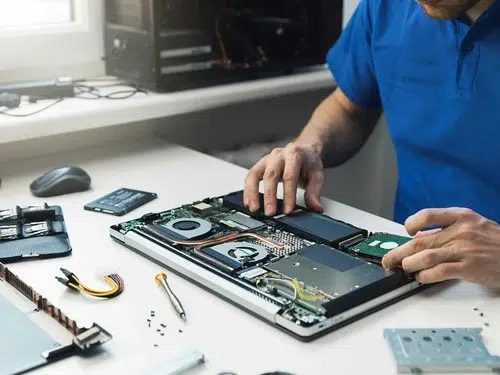
Repairing a water damaged iPad that won’t turn on requires specialized equipment and experience. Unlike simple part replacement, water damage repair focuses on restoring electrical integrity.
1. Internal Cleaning and Corrosion Removal
Technicians carefully disassemble the iPad and clean the logic board using ultrasonic cleaners. This process removes corrosion that blocks power flow.
2. Battery and Power Circuit Repair
Water often damages the battery or charging IC. Therefore, technicians test and replace faulty components to restore power delivery.
3. Logic Board Micro-Soldering
If water damages chips or connectors, micro-soldering is used to repair or replace affected components at a microscopic level.
4. Display and Backlight Repair
In some cases, the iPad turns on internally but shows no display. Repair shops test and replace damaged display circuits when needed.
Can Data Be Recovered from a Water Damaged iPad?
Yes, data recovery is often possible even if a water damaged iPad won’t turn on. Professional repair focuses on restoring power temporarily or extracting data directly from storage chips.
Data Recovery Options
- Temporary boot repair for backups
- Logic board repair for data access
- NAND chip extraction in severe cases
Most importantly, the sooner you seek professional help, the higher the chance of data recovery.
Why Timing Is Critical for Water damaged iPad won’t turn on Repair
Water damage worsens over time. Even if the iPad appears dry, internal corrosion continues to spread.
Why Early Repair Matters
- Prevents irreversible corrosion
- Increases chances of full recovery
- Reduces repair cost
- Improves data recovery success
Therefore, delaying repair significantly lowers the success rate.
Milaaj Trusted Water damaged iPad Experts
Milaaj specializes in advanced iPad water damage repair using professional tools and proven techniques. Their experienced technicians handle everything from basic cleaning to complex logic board repairs.
Why Choose Milaaj for Water Damaged iPads
- Advanced water damage diagnostics
- Micro-soldering and board-level repair
- Safe data recovery solutions
- High-quality replacement parts
- Fast turnaround and affordable pricing
As a result, even severely damaged iPads often get a second life.
How Long Does Water Damage Repair Take?
Repair time depends on the severity of damage.
Estimated Repair Timelines
- Minor moisture damage: 1–2 days
- Moderate corrosion repair: 2–4 days
- Severe logic board repair: 3–7 days
However, early intervention usually shortens repair time significantly.
Preventing Water Damage in the Future
Once your iPad is repaired, prevention becomes essential.
Tips to Protect Your iPad from Water
- Use waterproof or splash-resistant cases
- Avoid using iPads near pools or sinks
- Keep liquids away from charging ports
- Never charge in humid environments
Most importantly, treat water resistance as protection not immunity.
When Is an iPad Beyond Repair?
In rare cases, water damage may be too severe. However, even then, data recovery may still be possible.
Signs of Irreparable Damage
- Severe board corrosion
- Burnt power circuits
- Long-term untreated water exposure
Still, professional evaluation is always recommended before giving up.
FAQs About Water damaged iPad won’t turn on
Q1. Why won’t my iPad turn on after water damage?
A water damaged iPad won’t turn on because liquid causes short circuits, corrosion, or battery failure that interrupts power flow.
Q2. Can a water damaged iPad be repaired?
Yes. In many cases, professional cleaning, power circuit repair, or logic board micro-soldering can restore a water damaged iPad.
Q3. Should I charge my iPad after it gets wet?
No. Charging a wet iPad can cause further electrical damage and worsen corrosion.
Q4. How long does water damage repair take for an iPad?
Minor water damage repairs may take 1–2 days, while severe logic board repairs can take several days.
Q5. Can data be recovered if a water damaged iPad won’t turn on?
Yes. Professional technicians can often recover data through board repair or NAND chip data extraction.
Final Thoughts: Water damaged iPad won’t turn on
A water damaged iPad won’t turn on, but that does not automatically mean it is permanently destroyed. With quick action, proper handling, and professional repair, many water damaged iPads can be restored successfully. From internal cleaning and power repair to advanced logic board restoration and data recovery, expert solutions exist for nearly every scenario.
Most importantly, avoid DIY mistakes and seek professional help as soon as possible. With expert technicians, advanced tools, and reliable repair methods, Milaaj mobile and laptop repair Dubai offers safe, efficient, and affordable solutions to bring your iPad back to life.
Get professional iPad repair services with expert technicians ensuring top-quality results.
Instead of trying random recovery apps, always rely on certified software or trusted repair centers like Milaaj for secure data restoration.
Back in your hands faster: Enjoy rapid, reliable doorstep delivery for every device we service or sell.
Sell your old iPhone with confidence and get the best value instantly.
📍 Visit Any Milaaj Branch in Dubai
🔹 Bur Dubai
Milaaj Mobile and Laptop Repair Dubai
📞 055 258 8477
🔗 Google Maps
🔹 Al Barsha
Milaaj Mobiles and Laptop Repair Al Barsha
📞 052 596 2846
🔗 Google Maps
🔹 Al Barsha 3
Milaaj Mobiles and Gaming Store
📞 052 3405 814
🔗 Google Maps
🔹 Al Nuaimiya
Milaaj Mobiles and Laptops Ajman
📞 055 788 9654
🔗 Google Maps
📧 Email: support@milaaj.com
🕒 Operating Hours: Monday – Sunday

Leave a Reply